> ## Documentation Index
> Fetch the complete documentation index at: https://fillout.com/help/llms.txt
> Use this file to discover all available pages before exploring further.
# Edit my account details
> Edit your display name, avatar, linked email, and more.
## Edit account settings
On your dashboard, click your `Account name` followed by `Settings` in the dropdown menu.
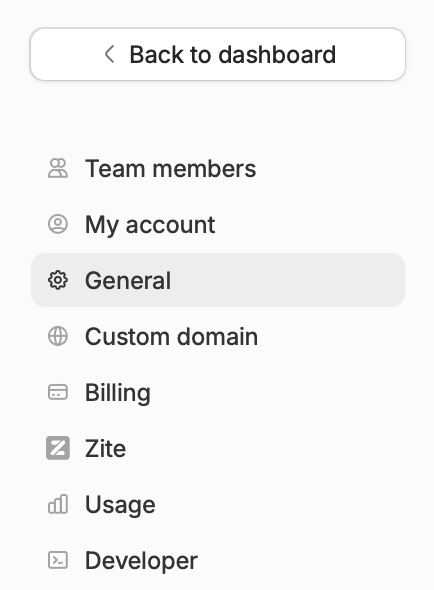
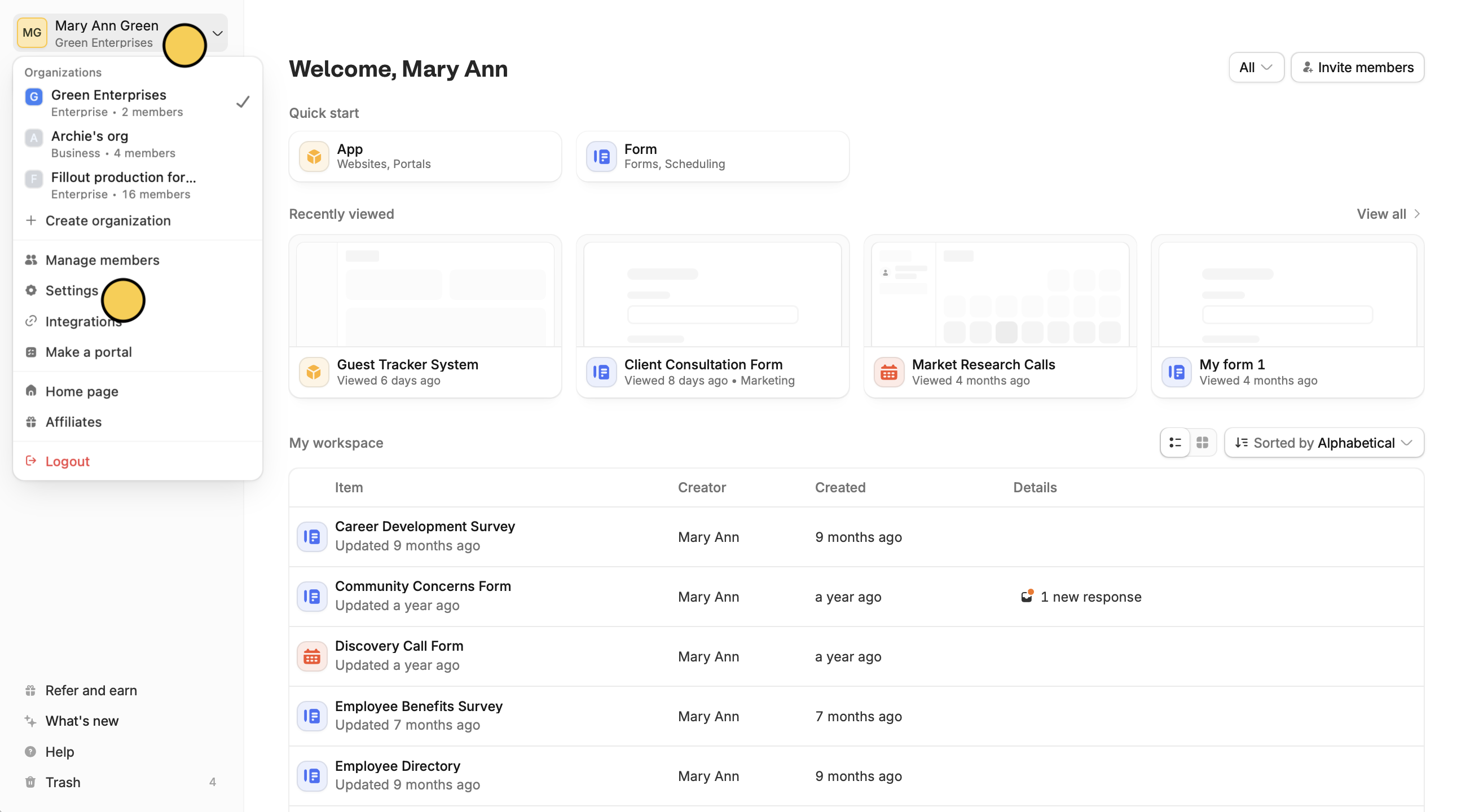 Here, you'll see your team members, invites, account plan, and more.
 ## Change account email
If you want to change the email linked to your account, go to `My account` and update your email.
## Change account email
If you want to change the email linked to your account, go to `My account` and update your email.
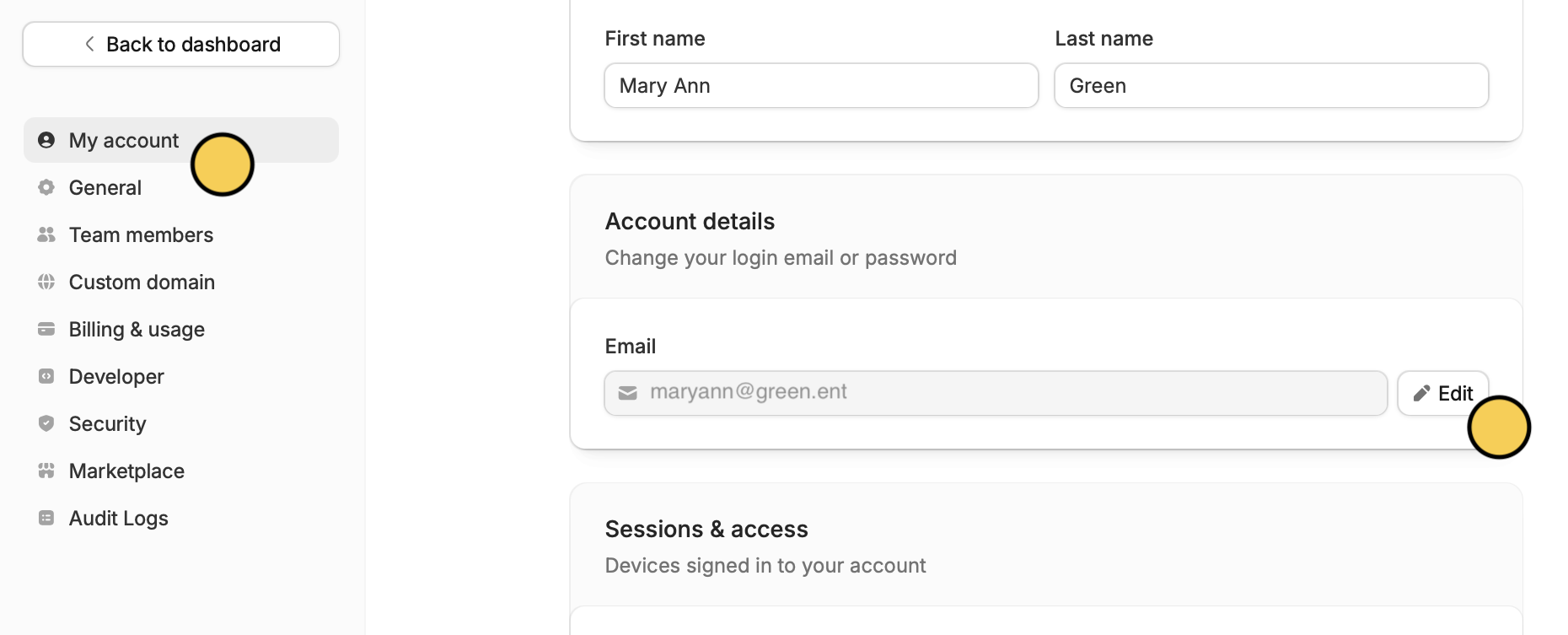 Changing your email only applies to the specific organization you are currently working in.
For example, if you change your email from a personal address to your company email while logged into **Company A**, your email and access in **Company B** will remain completely unchanged. You would need to switch to Company B and update it there manually.
## Upgrade plan
To upgrade your plan, go to `Billing` and click `Change plan`. More info [here](/billing-and-payments).
Changing your email only applies to the specific organization you are currently working in.
For example, if you change your email from a personal address to your company email while logged into **Company A**, your email and access in **Company B** will remain completely unchanged. You would need to switch to Company B and update it there manually.
## Upgrade plan
To upgrade your plan, go to `Billing` and click `Change plan`. More info [here](/billing-and-payments).