> ## Documentation Index
> Fetch the complete documentation index at: https://fillout.com/help/llms.txt
> Use this file to discover all available pages before exploring further.

# Airtable Scheduling: A guide

> Book meetings on your Google or Outlook Calendar and sync them natively to Airtable, with Fillout Scheduling.

## Overview

Create a free scheduling form that streamlines appointment booking process and sends all event details directly to `Airtable`. This guide explains how to set up a scheduling form, connect it to Google Calendar and integrate it with your Airtable bases.

## How to set up

<Steps>
  <Step title="Create a free Scheduling Form">
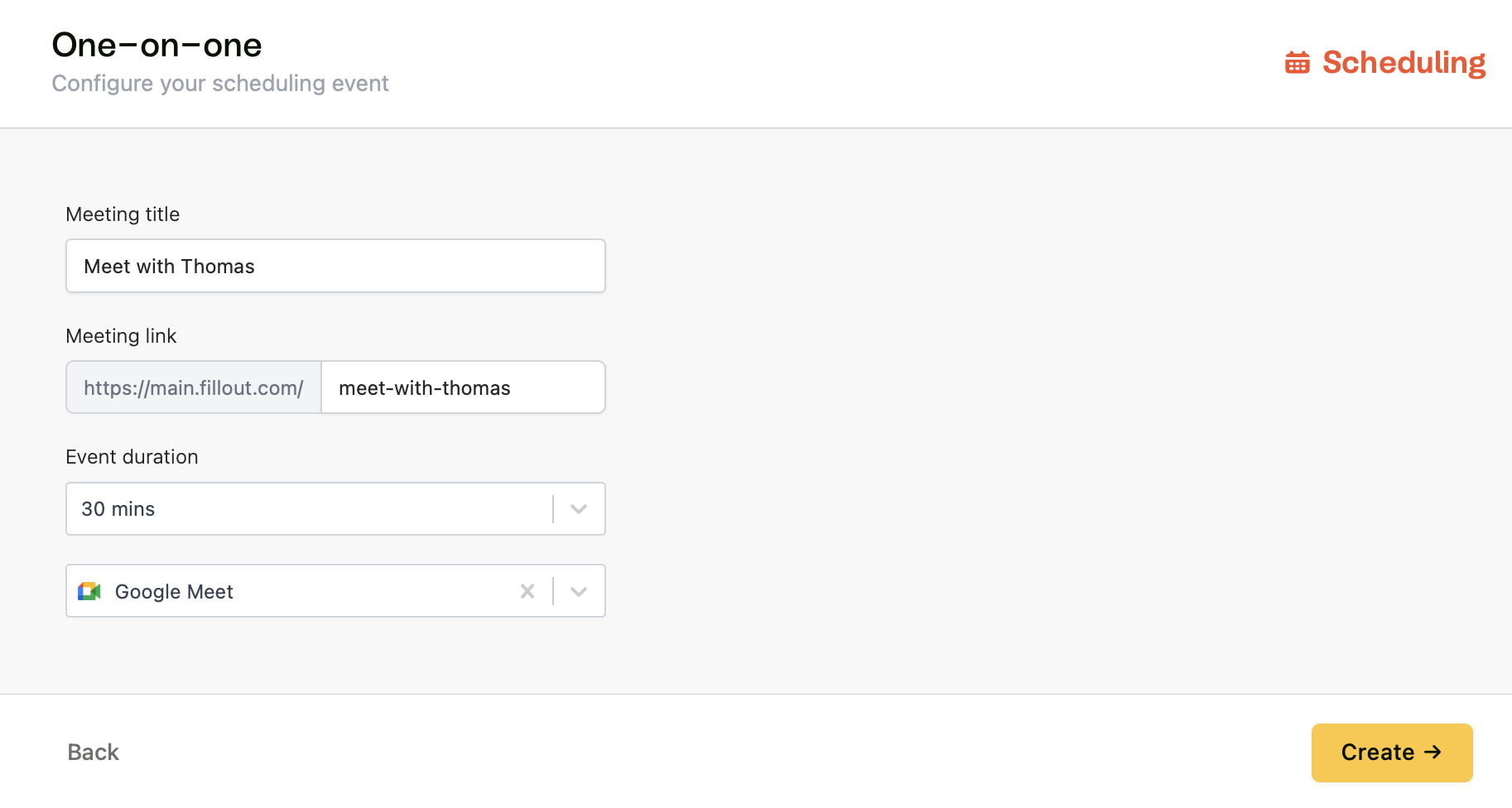
    [Create a Scheduling Form](https://build.fillout.com/new/scheduling) or add a [scheduling page](/scheduling-page) to an existing Fillout form. You’ll be prompted to connect your Google or Outlook Calendar and optionally connect Zoom, Teams, or Google Meet, as a meeting location.

    <img src="https://mintcdn.com/fillout-005a867b/UD9ro_N_R6GH2wl_/images/Screenshot2025-11-10at11.06.34AM.png?fit=max&auto=format&n=UD9ro_N_R6GH2wl_&q=85&s=74617ebae90970b631c11f3e8afeeaa2" alt="Screenshot 2025-11-10 at 11.06.34 AM.png" width="1826" height="976" data-path="images/Screenshot2025-11-10at11.06.34AM.png" />
  </Step>

  <Step title="Connect to Airtable">
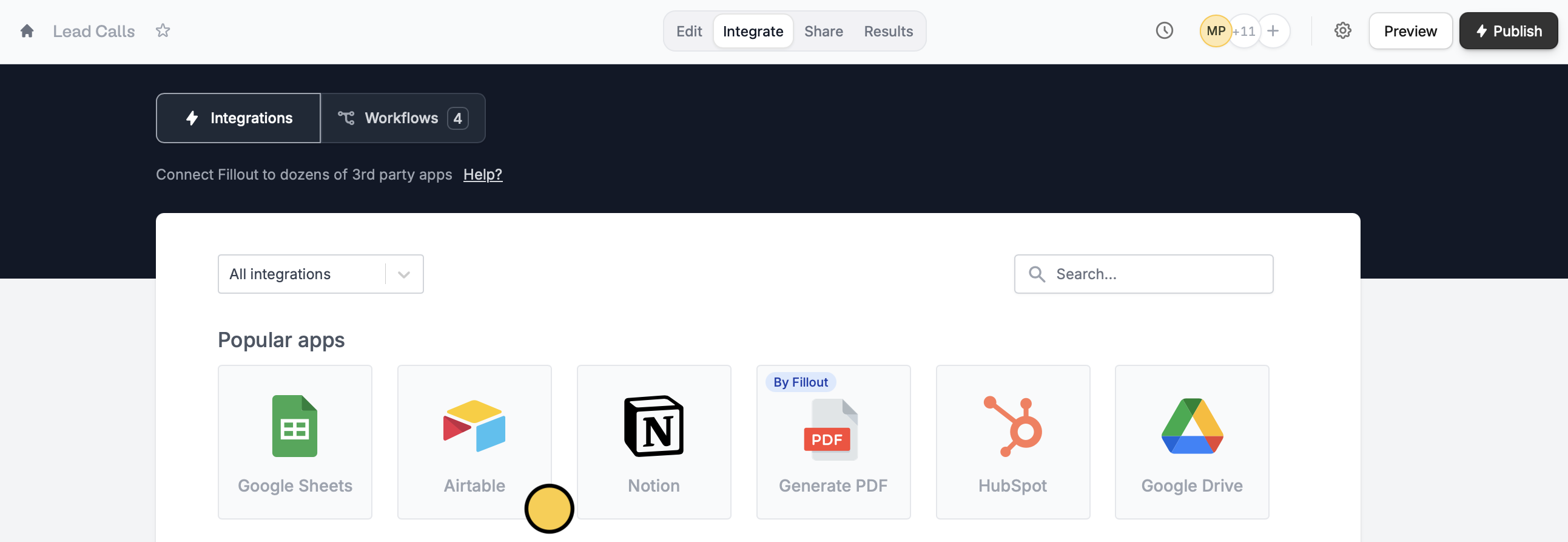
    Click `Integrate` on the top menu and connect to `Airtable`.

    <img src="https://mintcdn.com/fillout-005a867b/UD9ro_N_R6GH2wl_/images/Screenshot2025-11-10at11.08.27AM.png?fit=max&auto=format&n=UD9ro_N_R6GH2wl_&q=85&s=63935dc1139f6f472af858b6b15142a5" alt="Screenshot 2025-11-10 at 11.08.27 AM.png" width="2585" height="893" data-path="images/Screenshot2025-11-10at11.08.27AM.png" />
  </Step>

  <Step title="Choose where to send booking details">
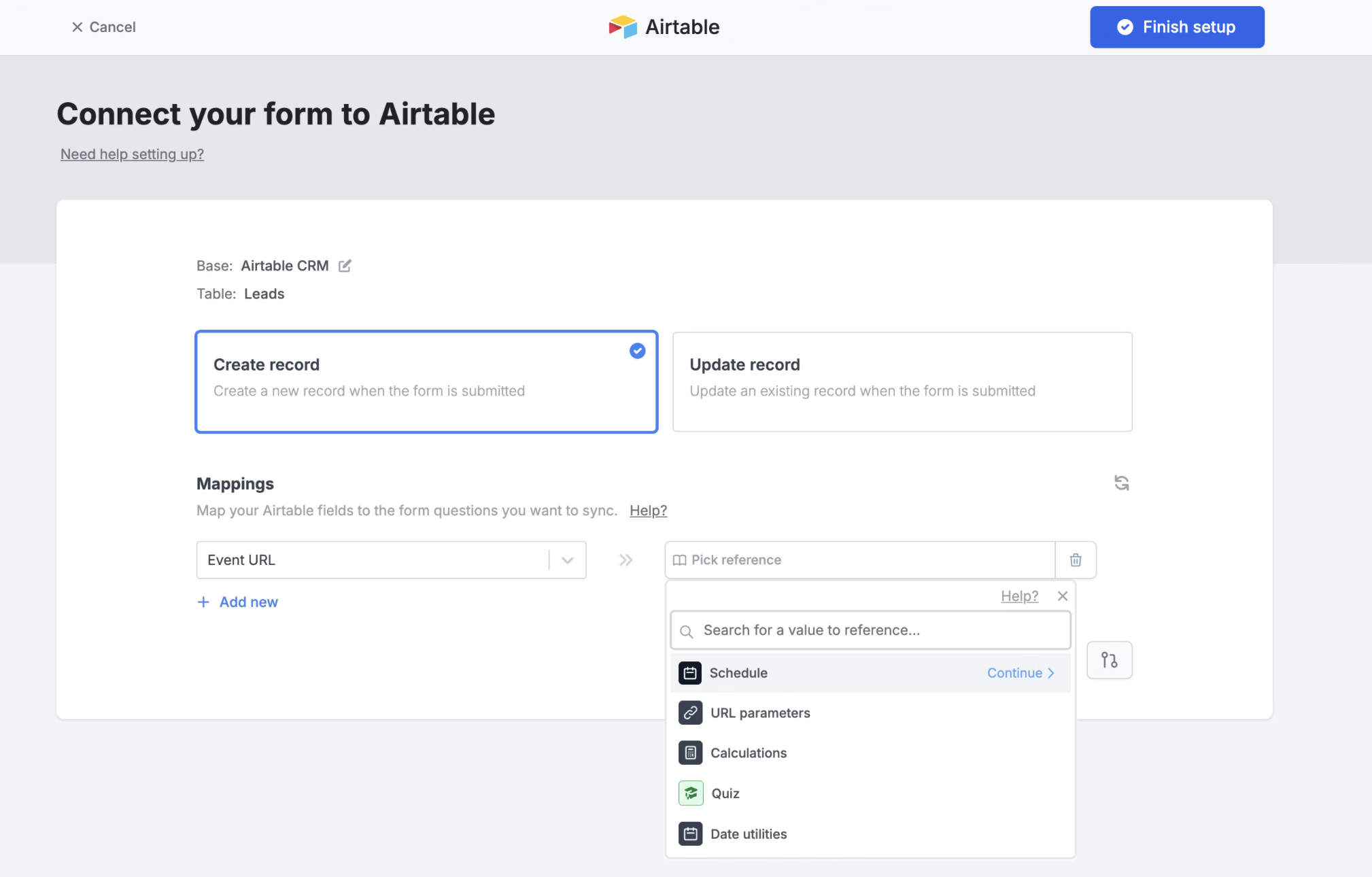
    You can map the following fields, directly to Airtable:

    <div className="flex flex-row gap-8">
      <div>
        * Invitee Email
        * Event Start Time
        * Event End Time
        * Event URL
      </div>

      <div>
        * Full name
        * Meeting notes
        * Phone (if provided)
        * Google Meet/Zoom Link
      </div>
    </div>

    <img src="https://mintcdn.com/fillout-005a867b/UD9ro_N_R6GH2wl_/images/Screenshot2025-11-10at11.12.08AM.png?fit=max&auto=format&n=UD9ro_N_R6GH2wl_&q=85&s=19c2d4927f120fbeecbbe72c68eac8ec" alt="Screenshot 2025-11-10 at 11.12.08 AM.png" width="2018" height="1290" data-path="images/Screenshot2025-11-10at11.12.08AM.png" />
  </Step>
</Steps>

## Related articles

<CardGroup cols={3}>
  <Card title="Scheduling Form" icon="calendar-circle-plus" iconType="regular" color="#FFC738" href="fillout-scheduling-intro">
    Make a scheduling form with Fillout Scheduling for free.
  </Card>

  <Card title="Create an Airtable form" icon="table-layout" iconType="regular" color="#FFC738" href="/airtable">
    Use a form to create or update Airtable bases.
  </Card>

  <Card title="Set your availability" icon="calendar-clock" iconType="regular" color="#FFC738" href="/fillout-scheduling-availability">
    Specify your available hours and add multiple availabilities.
  </Card>
</CardGroup>