> ## Documentation Index
> Fetch the complete documentation index at: https://fillout.com/help/llms.txt
> Use this file to discover all available pages before exploring further.
# Cancel Fillout Plan
> Cancel your Fillout forms subscription.
export const SupportBanner = () => {
const titleId = React.useId();
return ;
};
## Cancel subscription
Navigate to [subscription](https://build.fillout.com/home/settings/billing) in **settings**, then click `Cancel`.
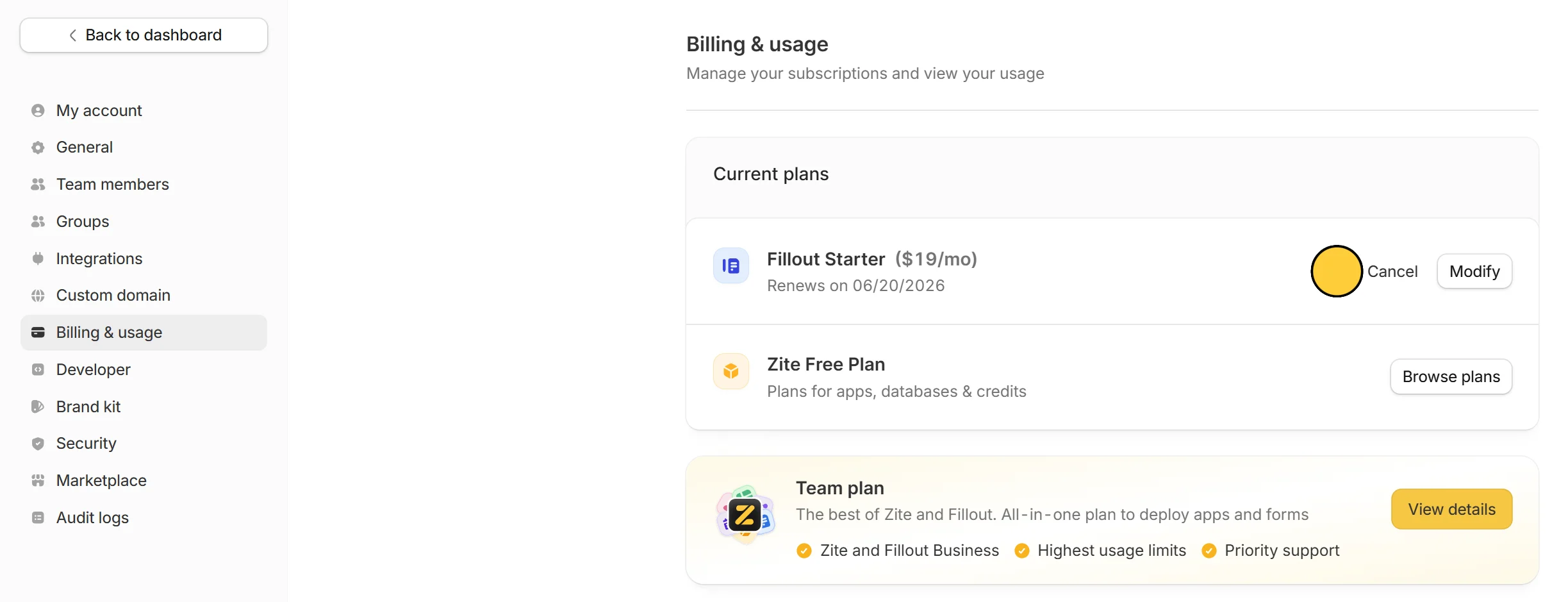 Canceling your Fillout Forms subscription will not cancel your Zite Apps subscription.
## What happens after cancellation
* Your current plan will remain active until your next subscription or renewal date. \
**Monthly subscription** \
For example, if your plan renews on **March 14** and you cancel on **March 25**, you’ll still have full access until the next renewal on **April 14**. \
**Annual subscription** \
For example, if your annual plan started on **January 1, 2026** and is set to end on **December 31, 2026**, and you cancel on **March 25, 2026**, your plan will still remain active until **December 31, 2026**.
* After that, your account will automatically be downgraded to the **Free** tier
* Premium features are no longer accessible
* You can still view previously created forms and submissions
## FAQs
Yes, you can still edit forms, but without paid add-ons or premium features.
Yes, but you can receive up to 1,000 responses per month across forms.
You will still see previous responses in the Results page, but partial submissions will no longer be tracked. If you upgrade again, partial submissions will reappear, but only submissions collected from that point forward will be stored.
Integrations may be paused or limited depending on your plan, and may need to be re-enabled if you upgrade again. Check our [pricing page](https://www.fillout.com/pricing) for more info.
Yes, but only automated emails that send response summaries will be available on the Free plan. Other types of notifications like custom emails require a paid plan.
To delete your account altogether including forms, apps, databases, and responses, check [this guide](https://www.fillout.com/help/delete-user-account).
Canceling your Fillout Forms subscription will not cancel your Zite Apps subscription.
## What happens after cancellation
* Your current plan will remain active until your next subscription or renewal date. \
**Monthly subscription** \
For example, if your plan renews on **March 14** and you cancel on **March 25**, you’ll still have full access until the next renewal on **April 14**. \
**Annual subscription** \
For example, if your annual plan started on **January 1, 2026** and is set to end on **December 31, 2026**, and you cancel on **March 25, 2026**, your plan will still remain active until **December 31, 2026**.
* After that, your account will automatically be downgraded to the **Free** tier
* Premium features are no longer accessible
* You can still view previously created forms and submissions
## FAQs
Yes, you can still edit forms, but without paid add-ons or premium features.
Yes, but you can receive up to 1,000 responses per month across forms.
You will still see previous responses in the Results page, but partial submissions will no longer be tracked. If you upgrade again, partial submissions will reappear, but only submissions collected from that point forward will be stored.
Integrations may be paused or limited depending on your plan, and may need to be re-enabled if you upgrade again. Check our [pricing page](https://www.fillout.com/pricing) for more info.
Yes, but only automated emails that send response summaries will be available on the Free plan. Other types of notifications like custom emails require a paid plan.
To delete your account altogether including forms, apps, databases, and responses, check [this guide](https://www.fillout.com/help/delete-user-account).