> ## Documentation Index
> Fetch the complete documentation index at: https://fillout.com/help/llms.txt
> Use this file to discover all available pages before exploring further.
# Conditionally hide fields
> Set conditional logic to show and hide fields based on prior inputs, URL parameters or external data. Make dynamic forms based on your respondents' answers.
## What is conditional logic?
**Conditional logic** is a dynamic feature that adjusts form content based on responses, creating a personalized experience and improving data accuracy.
## Video tutorial
## Hide based on a condition
Click the field's and open the **Logic** section on the right-hand panel to `Set conditional logic`.
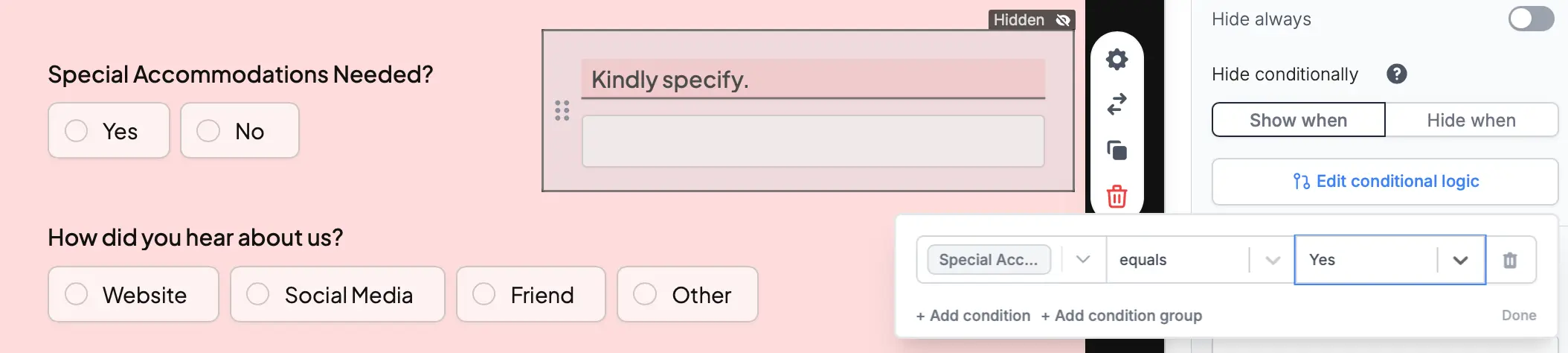
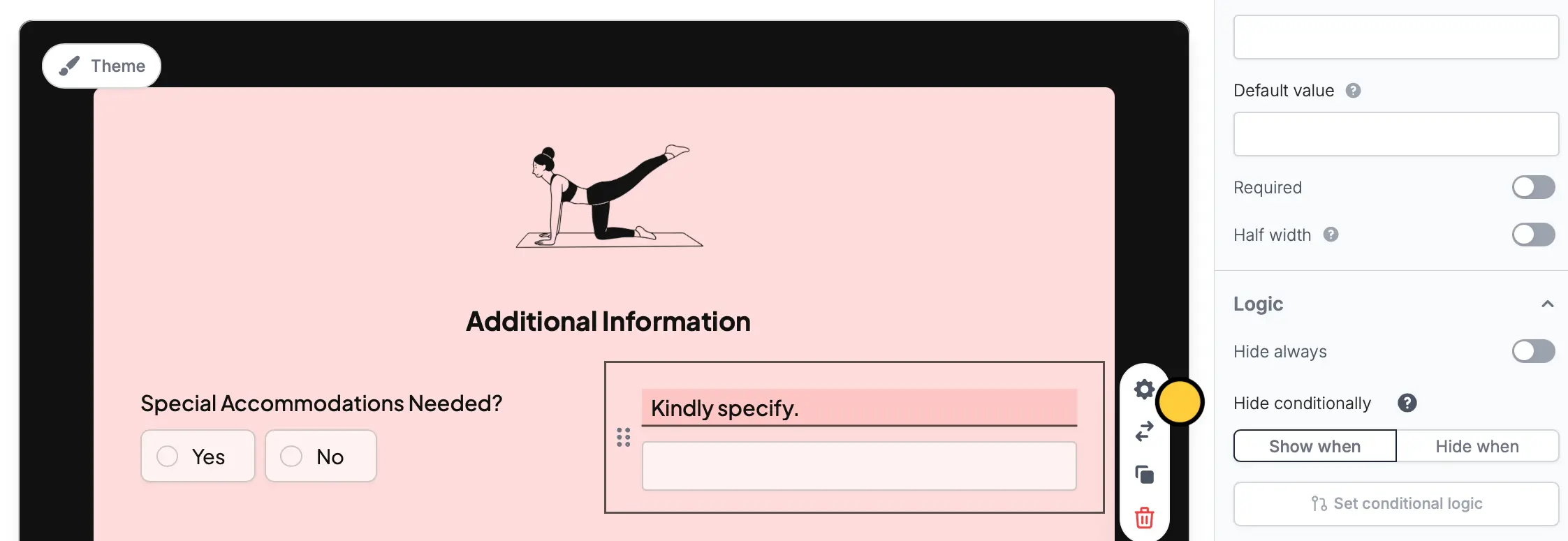 Then, `+ Add condition`. You can make a condition based on:
* Previous form inputs
* URL parameters (e.g., source = Facebook or Google)
* Data from an integration
* Date information (e.g., 5 days from today)
For example, we’ll only ask users to specify if they "need any special accommodations".
Then, `+ Add condition`. You can make a condition based on:
* Previous form inputs
* URL parameters (e.g., source = Facebook or Google)
* Data from an integration
* Date information (e.g., 5 days from today)
For example, we’ll only ask users to specify if they "need any special accommodations".
 ## Hide always
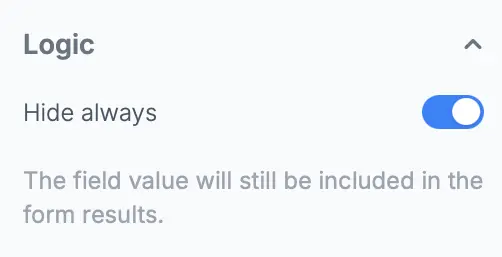
Toggle the `Hide always` switch to always hide a question or field. This is useful for [pre-filling questions](/prefill-fields) that you don’t want your users to change (e.g., a referral code that tracks where a user came from).
## Hide always
Toggle the `Hide always` switch to always hide a question or field. This is useful for [pre-filling questions](/prefill-fields) that you don’t want your users to change (e.g., a referral code that tracks where a user came from).
 ## Related articles
Pre-populate fields based on previous inputs and more.
Perform an integration only when a certain condition is met.
Pass information to a form to support pre-filling.
## Related articles
Pre-populate fields based on previous inputs and more.
Perform an integration only when a certain condition is met.
Pass information to a form to support pre-filling.