> ## Documentation Index
> Fetch the complete documentation index at: https://fillout.com/help/llms.txt
> Use this file to discover all available pages before exploring further.
# Disable the confetti effect
> Remove the default confetti effect on the Ending page of your Fillout forms.
## How to remove the confetti display
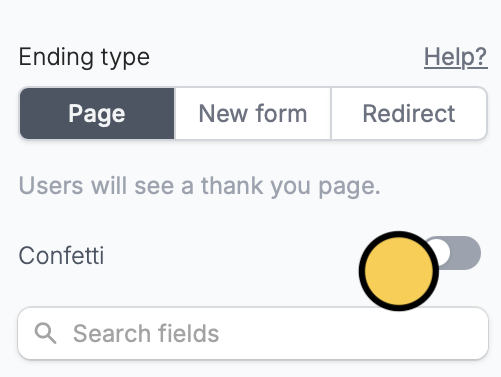
By default, when respondents reach the end of their form submission, confetti will be displayed.
 To disable, go to the [**Ending page**](https://www.fillout.com/help/ending-page) (bottom of the screen) and then untoggle the `Confetti` switch.
 ## **Related articles**
Show a thank you page, redirect, or allow re-submission.
Hide or show pages or custom endings based on respondent input.
Customize the default progress bar on your form.
## **Related articles**
Show a thank you page, redirect, or allow re-submission.
Hide or show pages or custom endings based on respondent input.
Customize the default progress bar on your form.