> ## Documentation Index
> Fetch the complete documentation index at: https://fillout.com/help/llms.txt
> Use this file to discover all available pages before exploring further.
# Custom form links and share preview
> Customize your form's subdomain and link ending to match your brand. Edit the image thumbnail and text of your share preview for social media sites.
export const SupportBanner = () => {
const titleId = React.useId();
return ;
};
## Overview
You can customize your form link to make it more recognizable and aligned with your brand. With Fillout, you can edit the following:
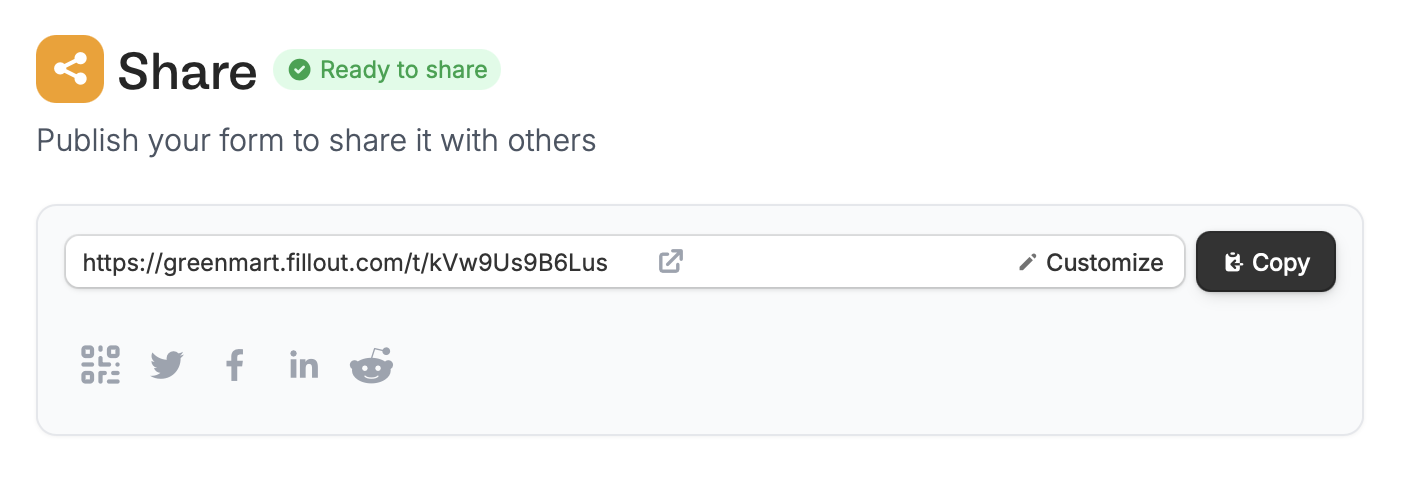
* **[Subdomain](https://www.fillout.com/help/custom-link#how-to-add-a-custom-subdomain)** - the starting text of your link (e.g., yourwebsite.fillout.com/t/kVw9Us9B6Lus)
* **[Slug](https://www.fillout.com/help/custom-link#edit-your-link-ending)** - the ending text of your link (e.g., form.fillout.com/name-of-your-form)
* **[Preview](https://www.fillout.com/help/customize-form-share-link)** - the title, description, and thumbnail that appear automatically when you share your link on social media or messaging apps
## Video tutorial
## How to add a custom subdomain
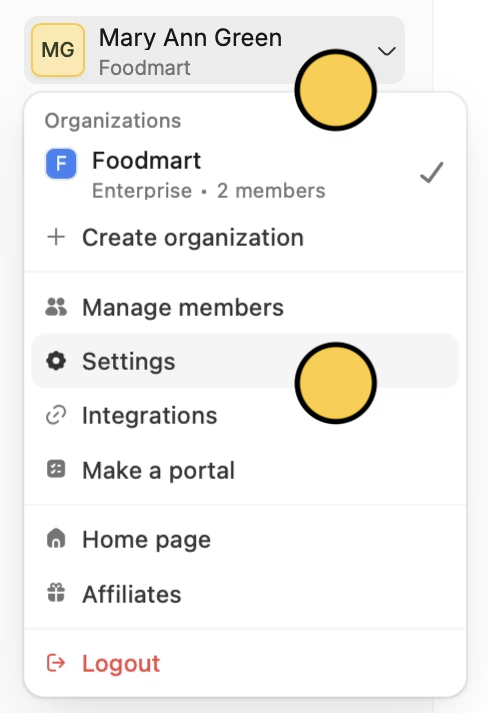
On the Fillout dashboard, click your `Account name` in the upper left corner followed by `Settings`.
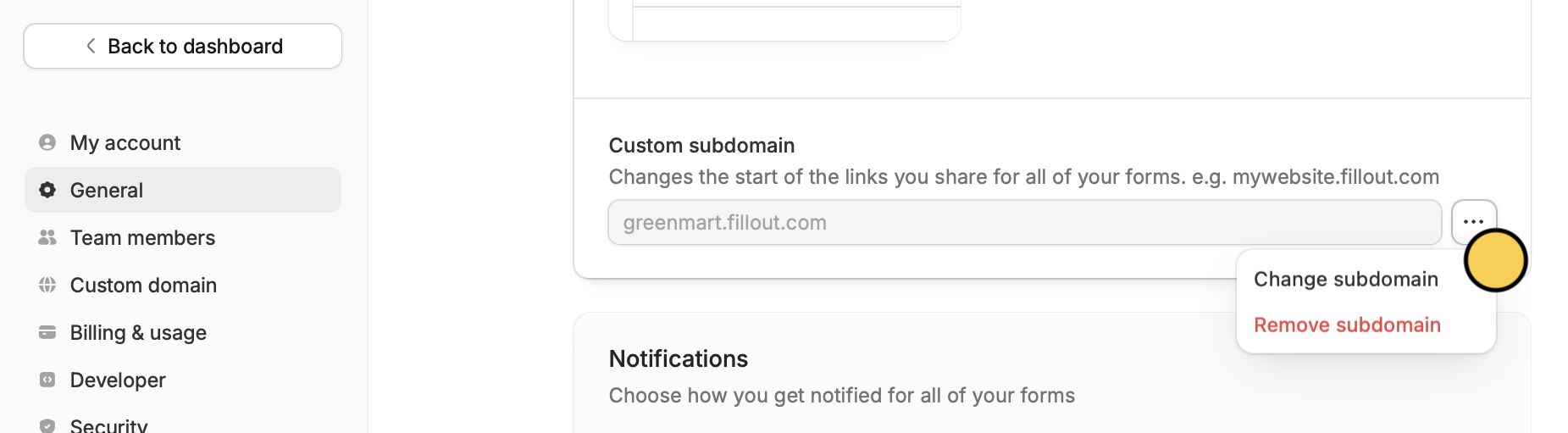
 Click followed by `Change subdomain` and enter one you intend to keep in the popup.
 That's it! Now all your forms will begin with yoursubdomain.fillout.com
 The original default form link will still redirect to the same form. There is no need to share the new customized link to those whom you have shared the original link with prior.
You can also remove your subdomain here.
## Edit your link ending
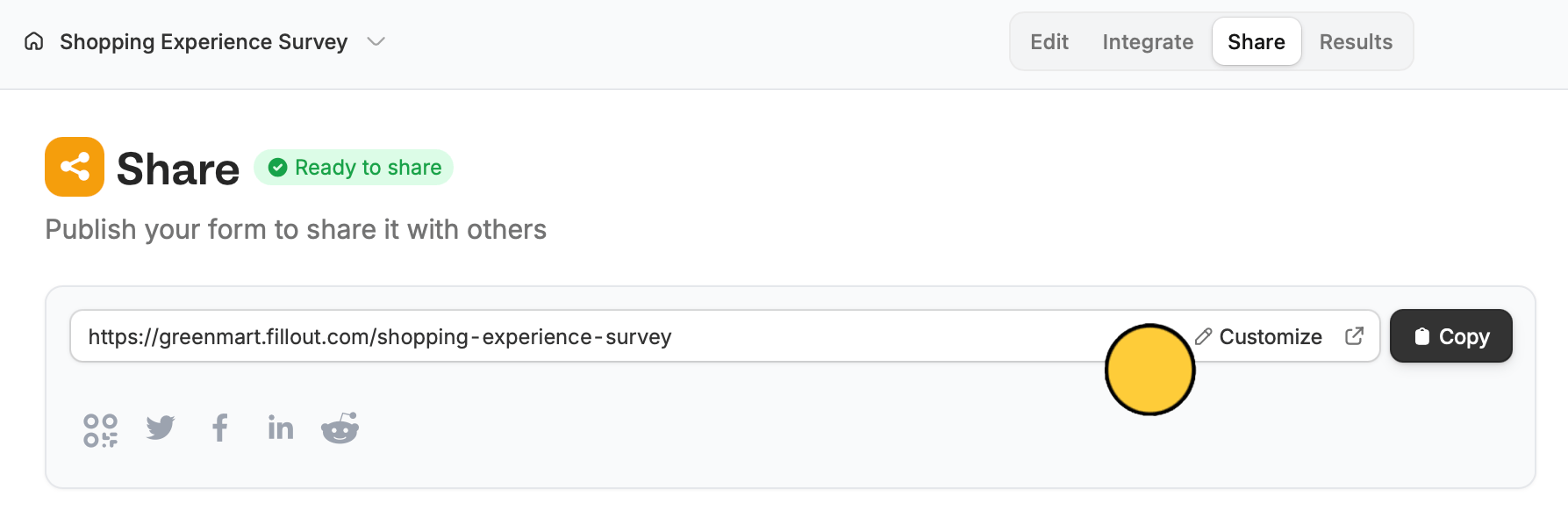
You can enter any text for your form's URL ending to personalize it. Click `Share` on top to `Customize` the slug.
The original default form link will still redirect to the same form. There is no need to share the new customized link to those whom you have shared the original link with prior.
You can also remove your subdomain here.
## Edit your link ending
You can enter any text for your form's URL ending to personalize it. Click `Share` on top to `Customize` the slug.
 ## Customize share preview
By default, your form's share preview shows the name of your form and a general description. To change it, check out this quick [guide](/help/customize-form-share-link).
## Related articles
Display your QR code online or offline on posters, and more.
Customize form URLs to enhance your branding.
Add a professional touch and create strong brand identity.
## Customize share preview
By default, your form's share preview shows the name of your form and a general description. To change it, check out this quick [guide](/help/customize-form-share-link).
## Related articles
Display your QR code online or offline on posters, and more.
Customize form URLs to enhance your branding.
Add a professional touch and create strong brand identity.