> ## Documentation Index
> Fetch the complete documentation index at: https://fillout.com/help/llms.txt
> Use this file to discover all available pages before exploring further.
# Send an email reminder to invitees
> Send automated reminders to your meeting guests via email. Easily input scheduling details that adapt to respondent input.
## How to set up
On the left-hand panel, scroll down to **Notifications** and toggle the `Reminder email` switch. Enter when you want the reminder to be sent.
Alternatively, you can use our `Event email reminder to invitees` [workflow template](https://www.fillout.com/help/scheduling-workflows#event-email-reminder-to-invitees).
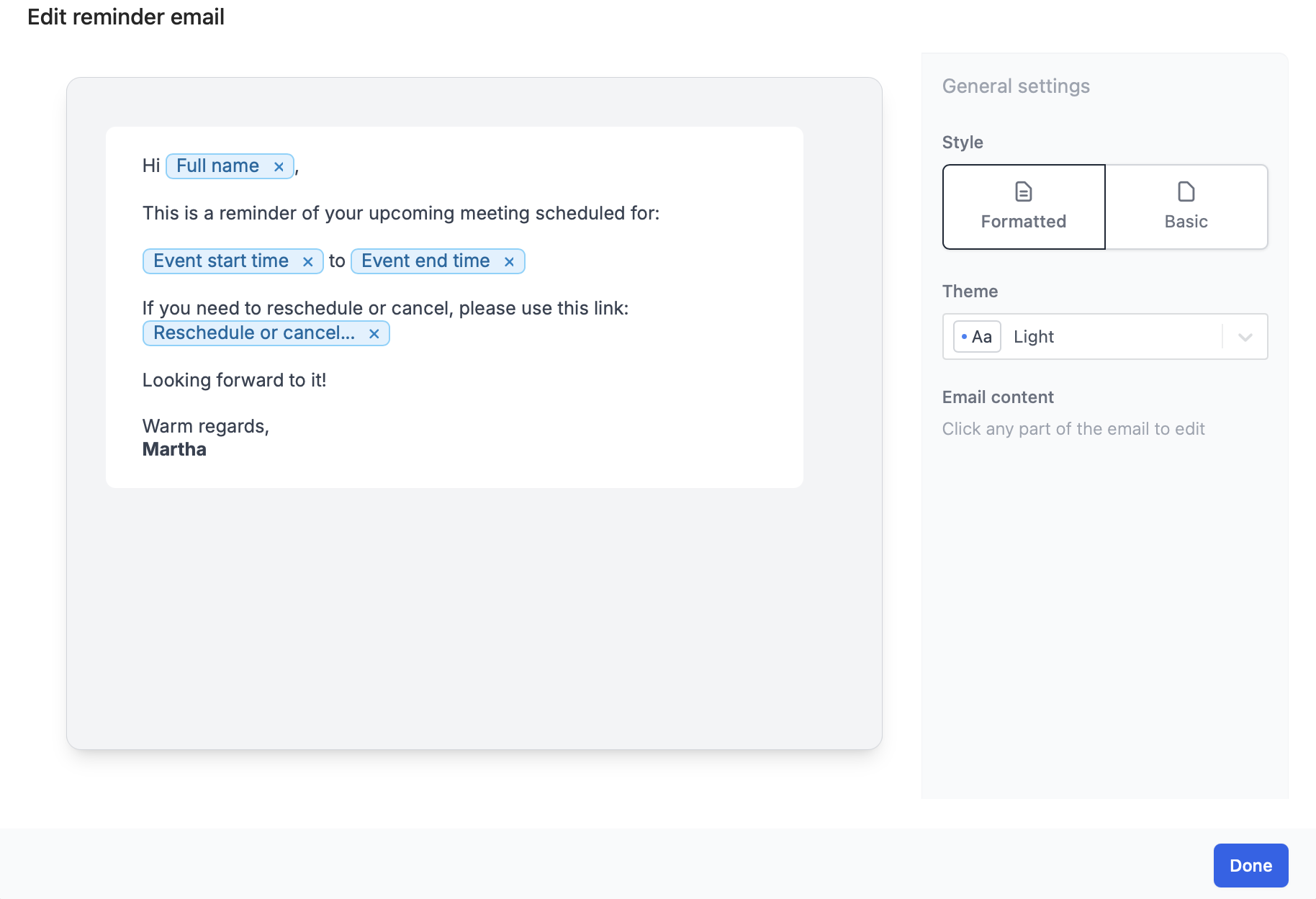
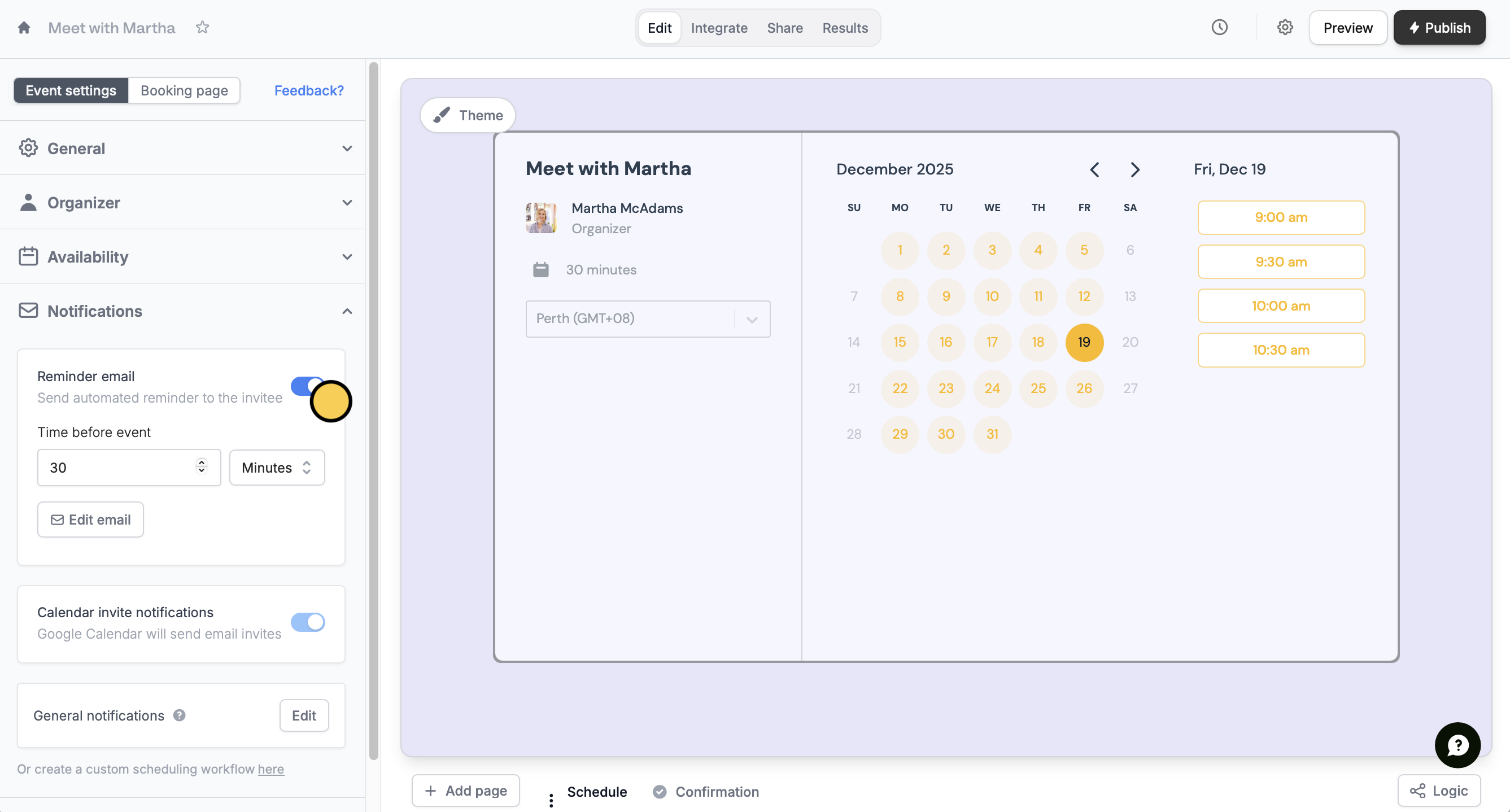 `Edit email` to format the contents and theme of your email.
You can opt to use a different **Theme** or **Style**. See more ways to customize the look [here](https://www.fillout.com/help/custom-emails#style-your-email).
`Edit email` to format the contents and theme of your email.
You can opt to use a different **Theme** or **Style**. See more ways to customize the look [here](https://www.fillout.com/help/custom-emails#style-your-email).
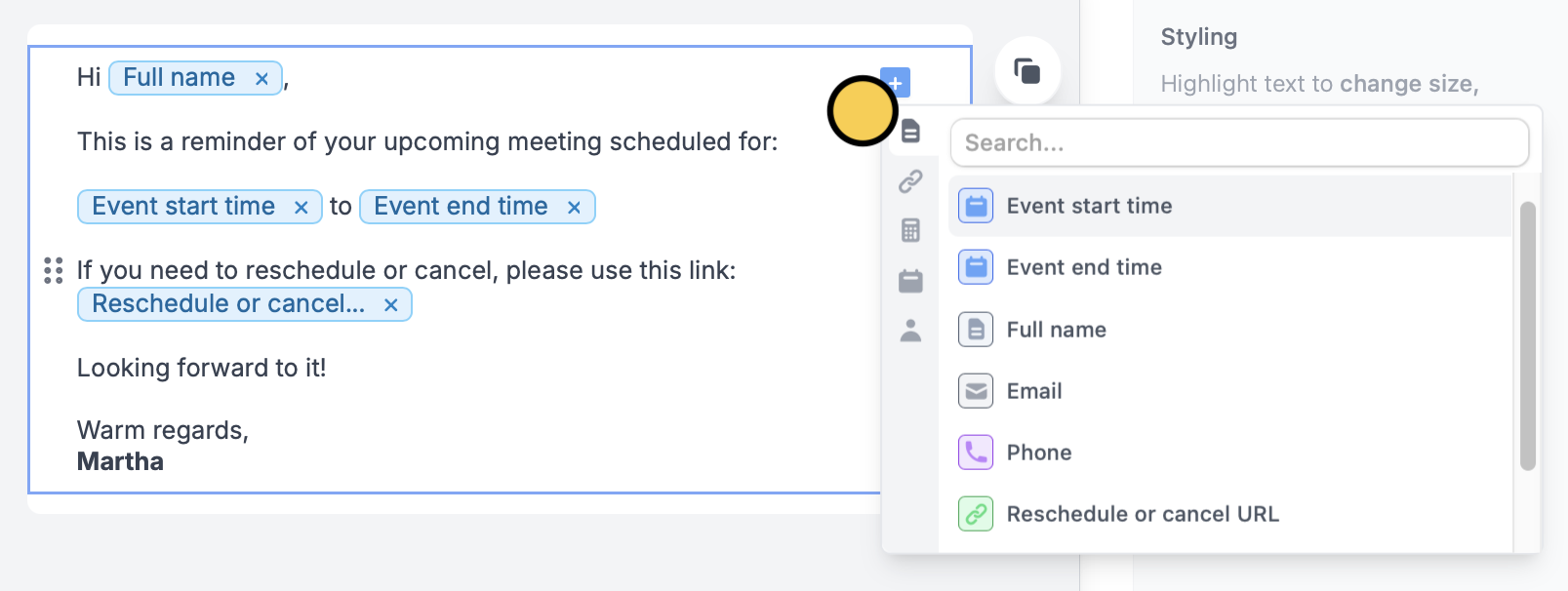
 You can reference scheduling details or other form answers by typing **@** or clicking , and choosing the specific field or question.
 ## Related articles
Send reminders to yourself and other hosts.
Automate sending, pipe previous answers, and style your email.
Email respondents a copy of their answers that can be edited.
## Related articles
Send reminders to yourself and other hosts.
Automate sending, pipe previous answers, and style your email.
Email respondents a copy of their answers that can be edited.