> ## Documentation Index
> Fetch the complete documentation index at: https://fillout.com/help/llms.txt
> Use this file to discover all available pages before exploring further.
# Collect signatures in your forms
> Add a signature field to your forms for registrations, approvals, waivers, petitions, and more.
## How to add a signature field
In the left-hand panel, look for the `Signature` field. Then, key in your question or statement.
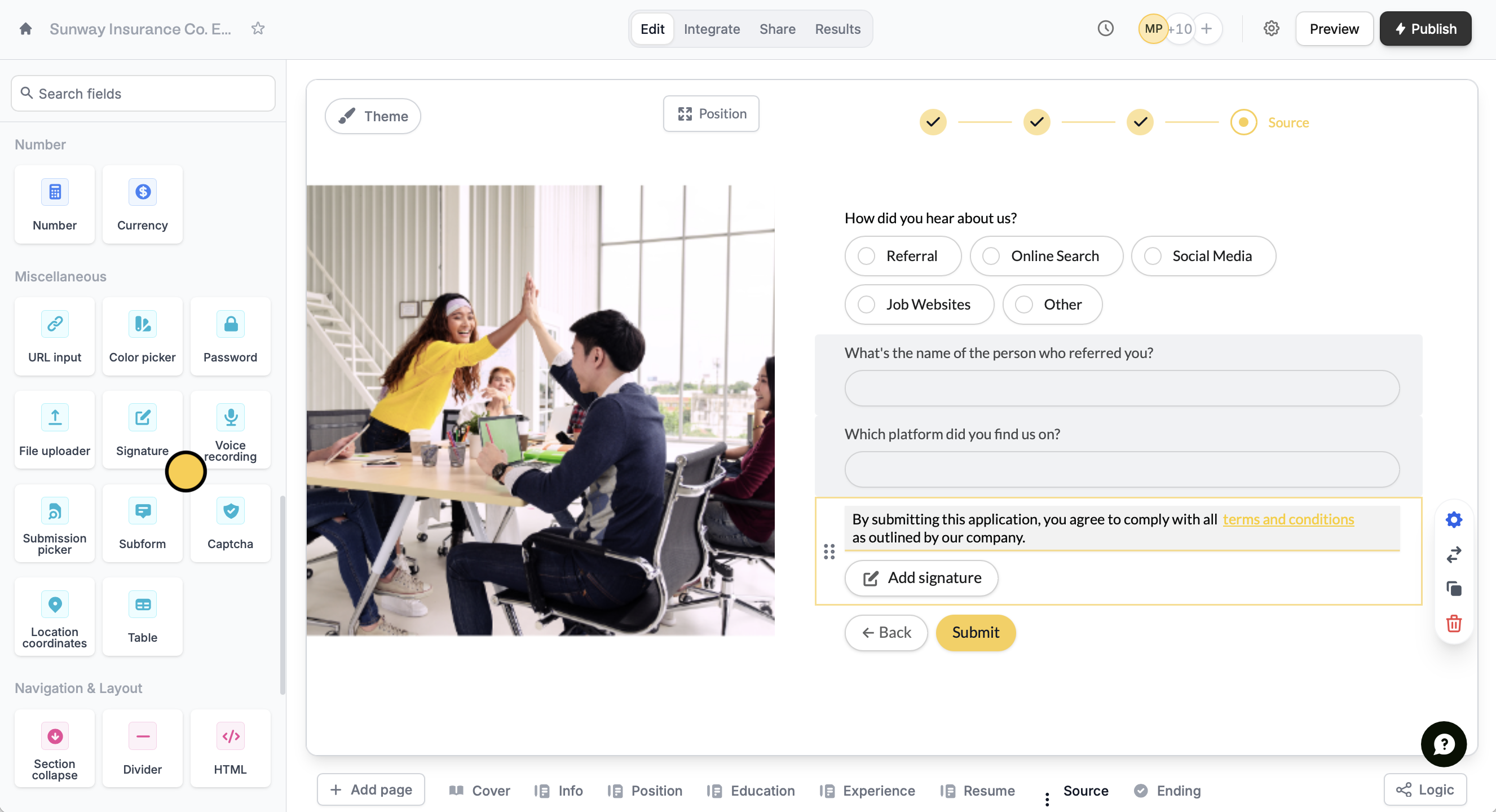 `Publish` your form and share the link to your respondents.
The signature field is available to **Starter**, **Pro**, **Business**, and **Enterprise** users. To learn more about our pricing plans, click [**here**](https://www.fillout.com/pricing).
When respondents click on the `Add signature` button, they'll be prompted to sign in a pop-up window. They can **draw**, **type**, or **upload** an image of their signature.
`Publish` your form and share the link to your respondents.
The signature field is available to **Starter**, **Pro**, **Business**, and **Enterprise** users. To learn more about our pricing plans, click [**here**](https://www.fillout.com/pricing).
When respondents click on the `Add signature` button, they'll be prompted to sign in a pop-up window. They can **draw**, **type**, or **upload** an image of their signature.
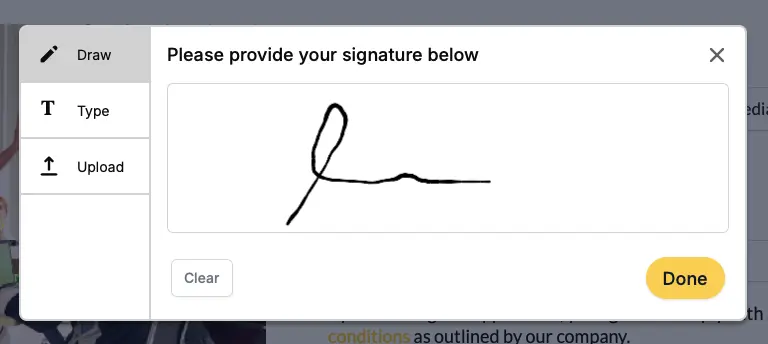 After confirming a signature, respondents can still click **x** to remove the provided signature.
If you want to disable the type and upload options, click the . In the right-hand panel, turn off the `Show upload option` and `Show type option`.
## Common signature workflows
**Validate authenticity of a submission**
Request e-signatures for your online waivers, non-disclosure agreements, record verification forms, or any workflow that requires verifying the integrity of user-provided data. The signature field is often used to allow respondents to consent and attest to their submission.
**Streamline business processes**
Increasingly, businesses are using e-signatures to approve employee documents, validate transactions, and kick off employee or vendor onboarding. One way to do this is in Fillout is to include relevant documents in your form with the [PDF Viewer](/embed-pdfs) field type. This way your respondents can view documents without leaving the form and add their signature with the signature field type.
## Related articles
Upload signatures to an existing Airtable base.
SOC 2 Type 2 certified with physical and technical safeguards.
Make agreements powered by forms.
After confirming a signature, respondents can still click **x** to remove the provided signature.
If you want to disable the type and upload options, click the . In the right-hand panel, turn off the `Show upload option` and `Show type option`.
## Common signature workflows
**Validate authenticity of a submission**
Request e-signatures for your online waivers, non-disclosure agreements, record verification forms, or any workflow that requires verifying the integrity of user-provided data. The signature field is often used to allow respondents to consent and attest to their submission.
**Streamline business processes**
Increasingly, businesses are using e-signatures to approve employee documents, validate transactions, and kick off employee or vendor onboarding. One way to do this is in Fillout is to include relevant documents in your form with the [PDF Viewer](/embed-pdfs) field type. This way your respondents can view documents without leaving the form and add their signature with the signature field type.
## Related articles
Upload signatures to an existing Airtable base.
SOC 2 Type 2 certified with physical and technical safeguards.
Make agreements powered by forms.