> ## Documentation Index
> Fetch the complete documentation index at: https://fillout.com/help/llms.txt
> Use this file to discover all available pages before exploring further.
# Event types
> Select the event type that best fits your meeting, appointment, or event based on your agenda with Fillout Scheduling for free.
## Overview
[Fillout Scheduling](https://www.fillout.com/scheduling) allows others to book events on your linked Google or Outlook calendar. There are various types of events that you can choose from:
A call with a single host and a single invitee.
A meeting with multiple hosts and one invitee.
Assigning calls evenly among a group.
A meeting with one host and multiple invitees.
## One-on-one
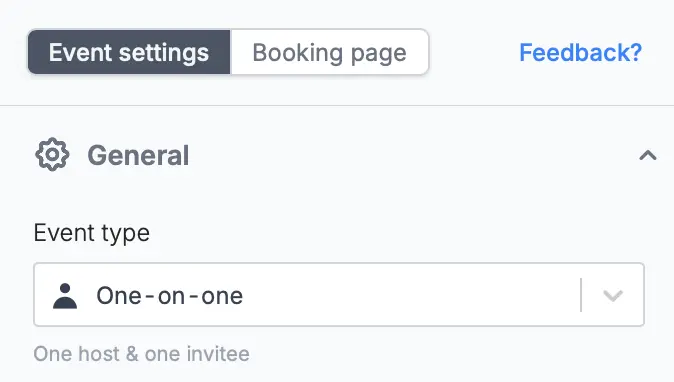
The most common type of event, a one-on-one is a meeting between a single host and a single invitee.
**Common use cases**
* Coaching session between a coach and an athlete
* Parent-teacher meetings
* A job interview between a recruiter and an applicant
* A financial consultation between a financial advisor and a client
* Mentoring sessions
## Collective meeting
Collective meetings allow a single invitee to schedule events with multiple hosts at once.
**Common use cases**
* Alignment calls involving several team members and a manager
* Panel interviews
* Training sessions involving multiple trainers and one participant
* Workshops where one attendee interacts with several facilitators
* Discovery calls
For more information, check this [guide](/collective-meeting-scheduling).
## Round robin
A round robin assigns events to a single host from a group. The distribution of events is based on the availability and priority settings of the group members.
**Common use cases**
* Customer support shifts among team members
* Sales demos by a team of salespeople
* Presentation critiques with various experts
* Medical appointments with various doctors
* Fitness classes with different instructors
For more information, read this [guide](/round-robin).
## Group meeting
A group meeting lets multiple invitees join a single call hosted by a single person.
**Common use cases**
* Virtual workshops or training sessions
* Team check-ins with multiple members
* Sales calls with multiple stakeholders
* Group interviews for candidates
* Webinars hosted by a single presenter
For more information, read this [guide](/group-meeting).
## Edit the event type of an existing form
On the left-hand panel, choose the **event type** you would like to switch it to from the dropdown.