> ## Documentation Index
> Fetch the complete documentation index at: https://fillout.com/help/llms.txt
> Use this file to discover all available pages before exploring further.
# Change form font
> Choose from thousands of fonts or even upload your own font individually or in bulk.
## How to change the font
Click `Theme` to open the **Form Designer**. Then, click the `Default` **Font** to change it.
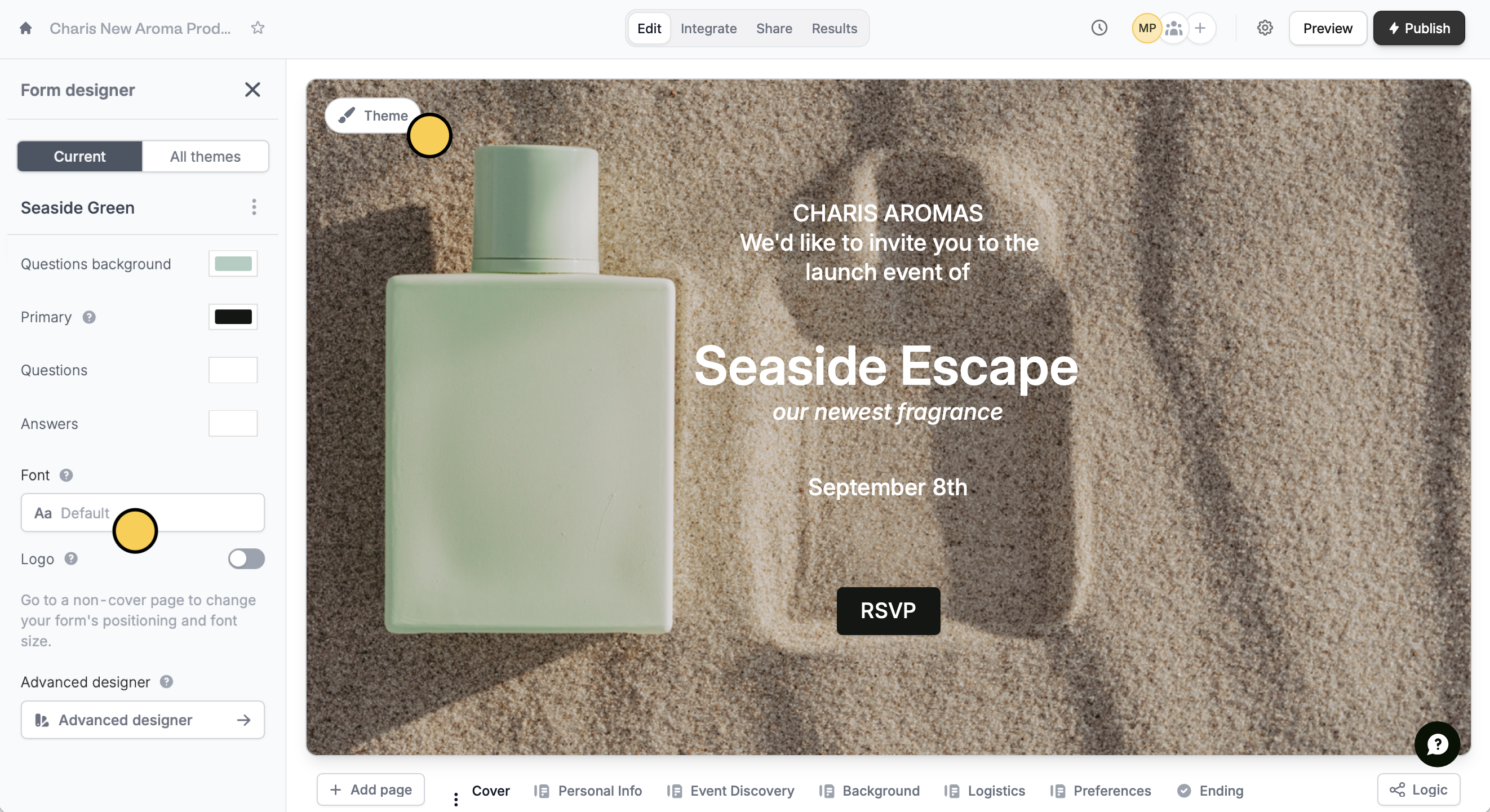 In the popup, choose between thousands of available Google fonts.
## Upload a font
You can also use any font outside the font library. Click `Custom` to add a new font.
In the popup, choose between thousands of available Google fonts.
## Upload a font
You can also use any font outside the font library. Click `Custom` to add a new font.
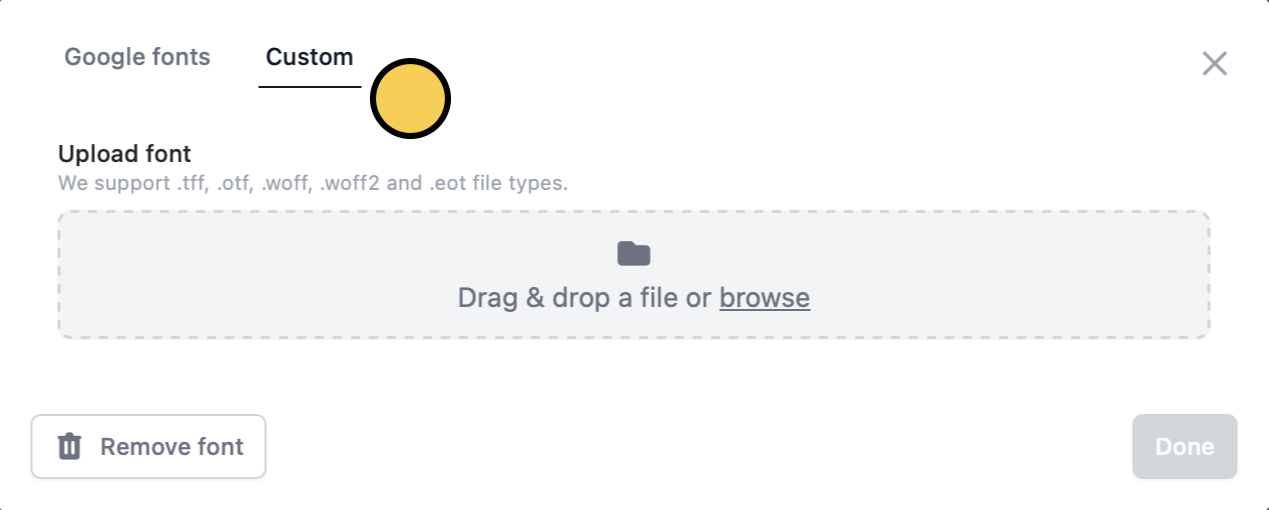 Uploading fonts can be done with **Pro**, **Business**, and **Enterprise** plans. Learn more about our pricing plans and advanced features [**here**](https://www.fillout.com/pricing).
## Related articles
Select from hundreds of themes or create your own.
Use images, GIFs, picture choices, or combine them.
Add a professional touch and create strong brand identity.
Uploading fonts can be done with **Pro**, **Business**, and **Enterprise** plans. Learn more about our pricing plans and advanced features [**here**](https://www.fillout.com/pricing).
## Related articles
Select from hundreds of themes or create your own.
Use images, GIFs, picture choices, or combine them.
Add a professional touch and create strong brand identity.