> ## Documentation Index
> Fetch the complete documentation index at: https://fillout.com/help/llms.txt
> Use this file to discover all available pages before exploring further.
# Import Subform Data
> Pass data from a subform to a main form using Fillout.
## Overview
Values from a [subform](https://www.fillout.com/help/subforms) submission can be automatically inserted into a main form using [Answer Piping](https://www.fillout.com/help/answer-piping). By referencing subform responses, you can populate any field where answer piping is supported, such as question fields, headings, default values, labels, logic, and more.
This speeds up form completion and reduces data entry errors. For example, you can:
* Auto-fill contact information collected in a subform into the main form
* Reference prior selections to personalize questions or instructions
* Carry over calculated values or totals from a subform into summary fields in the main form
## How to import data
On your main form, choose a field where you'd like to insert subform values to. In this example, we'll create a quote request where customers can see a summary in the end.
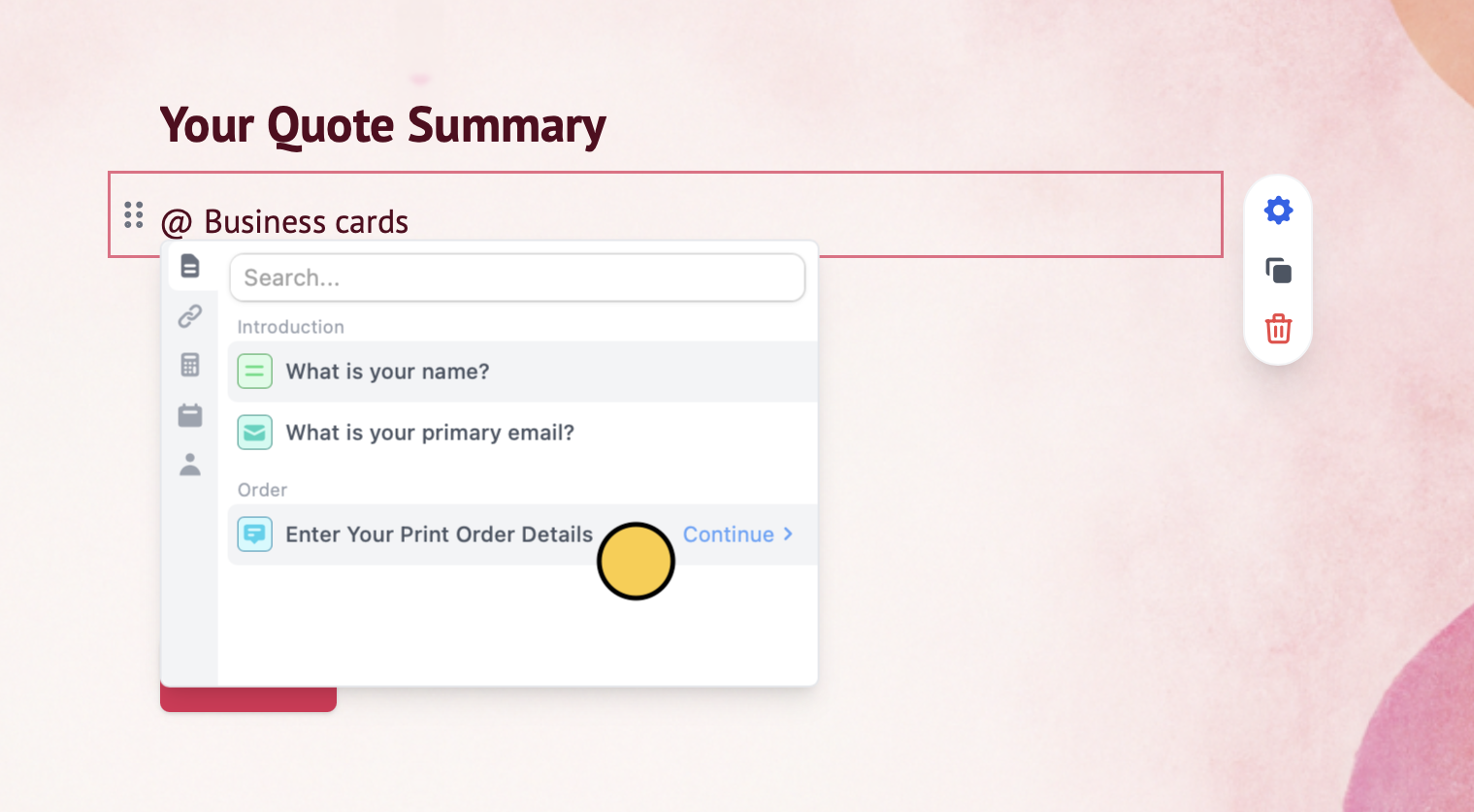
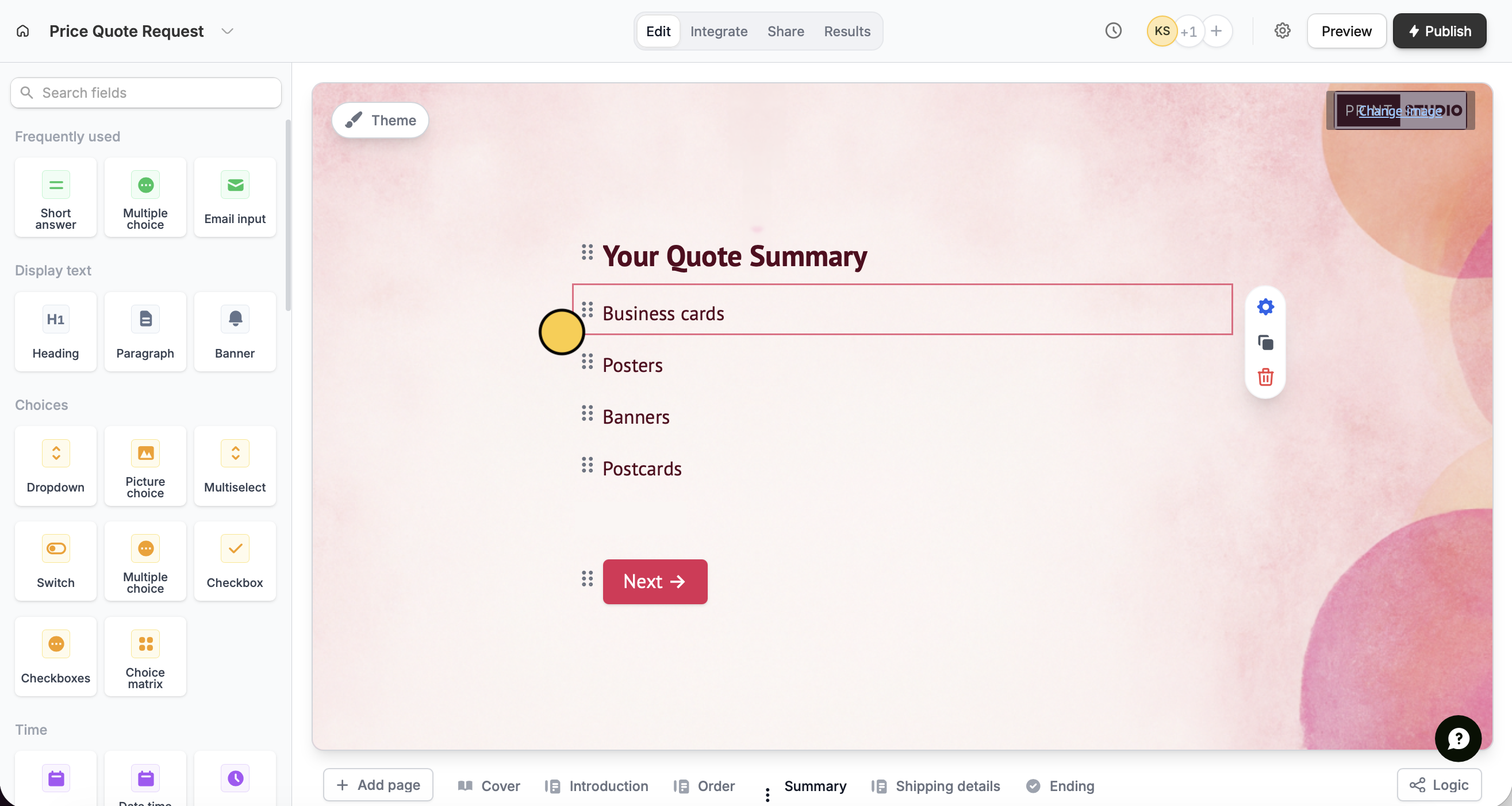 Type **@** to open the answer piping menu and click your **subform question**.
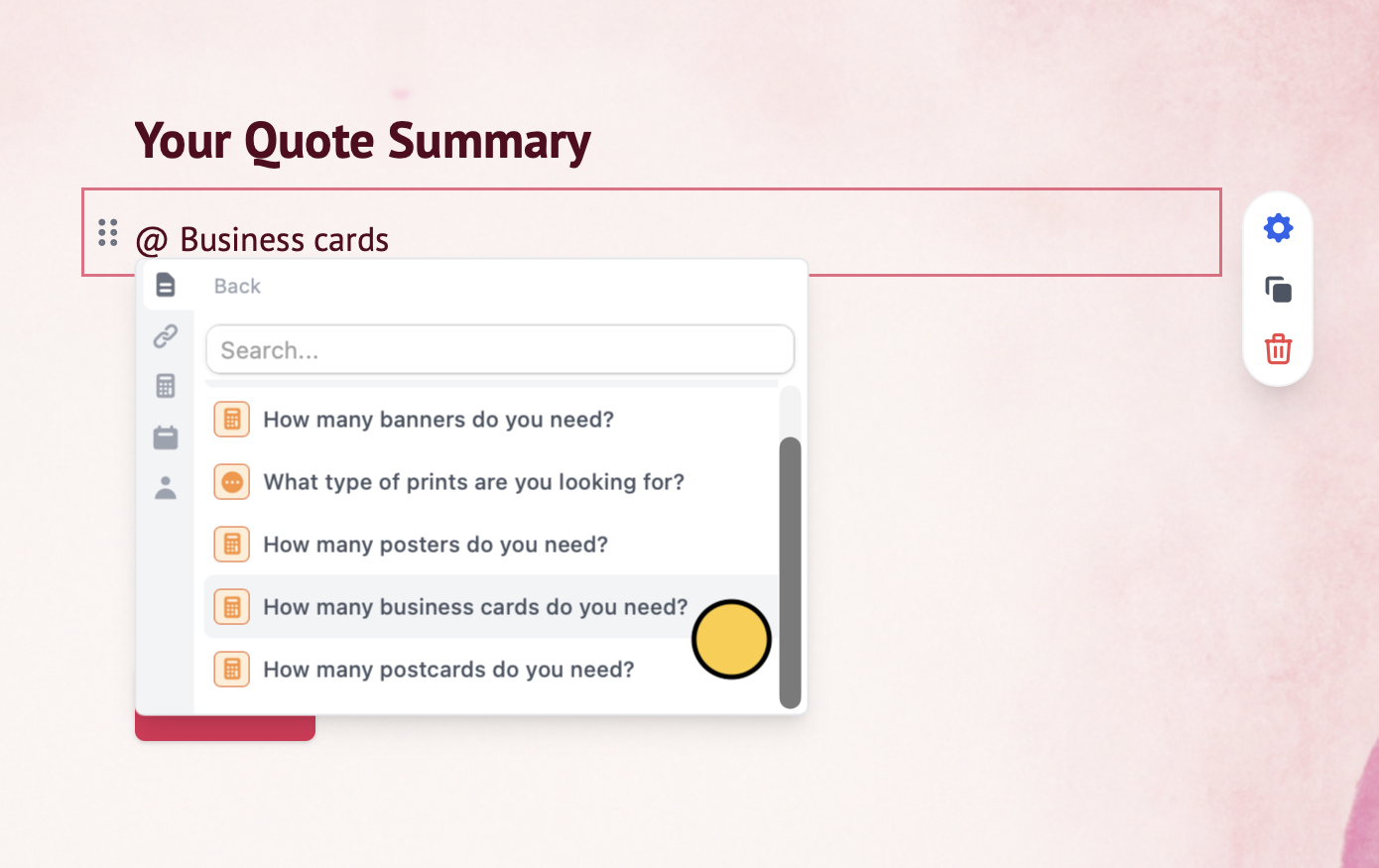
 Choose the **specific fields or questions in your subform**. For example, let's add a quantity to each print type in the summary page.
 You can also optionally show or hide fields. In our example, we'll only make print types show if they were previously selected. Check out our quick guide.
That's it! Dynamic subform values will now automatically populate forms.
You can also optionally show or hide fields. In our example, we'll only make print types show if they were previously selected. Check out our quick guide.
That's it! Dynamic subform values will now automatically populate forms.
 Click `Publish` in the upper right corner to share or embed your form.
## Pass main form data
You can also do it the other way around by sending values from your main form to your subform. Check out this [quick guide](https://www.fillout.com/help/url-parameters-between-forms).
## Related articles
Insert previous answers into upcoming questions or fields.
Collect repeated data with compact nested forms.
Share data between forms with URL parameters.
Click `Publish` in the upper right corner to share or embed your form.
## Pass main form data
You can also do it the other way around by sending values from your main form to your subform. Check out this [quick guide](https://www.fillout.com/help/url-parameters-between-forms).
## Related articles
Insert previous answers into upcoming questions or fields.
Collect repeated data with compact nested forms.
Share data between forms with URL parameters.