> ## Documentation Index
> Fetch the complete documentation index at: https://fillout.com/help/llms.txt
> Use this file to discover all available pages before exploring further.
# Create your own form template
> Turn your Fillout forms into templates, and share them with anyone. Choose whether to allow your templates to be public or only accessible within your organization.
export const SupportBanner = () => {
const titleId = React.useId();
return ;
};
## How to share a template
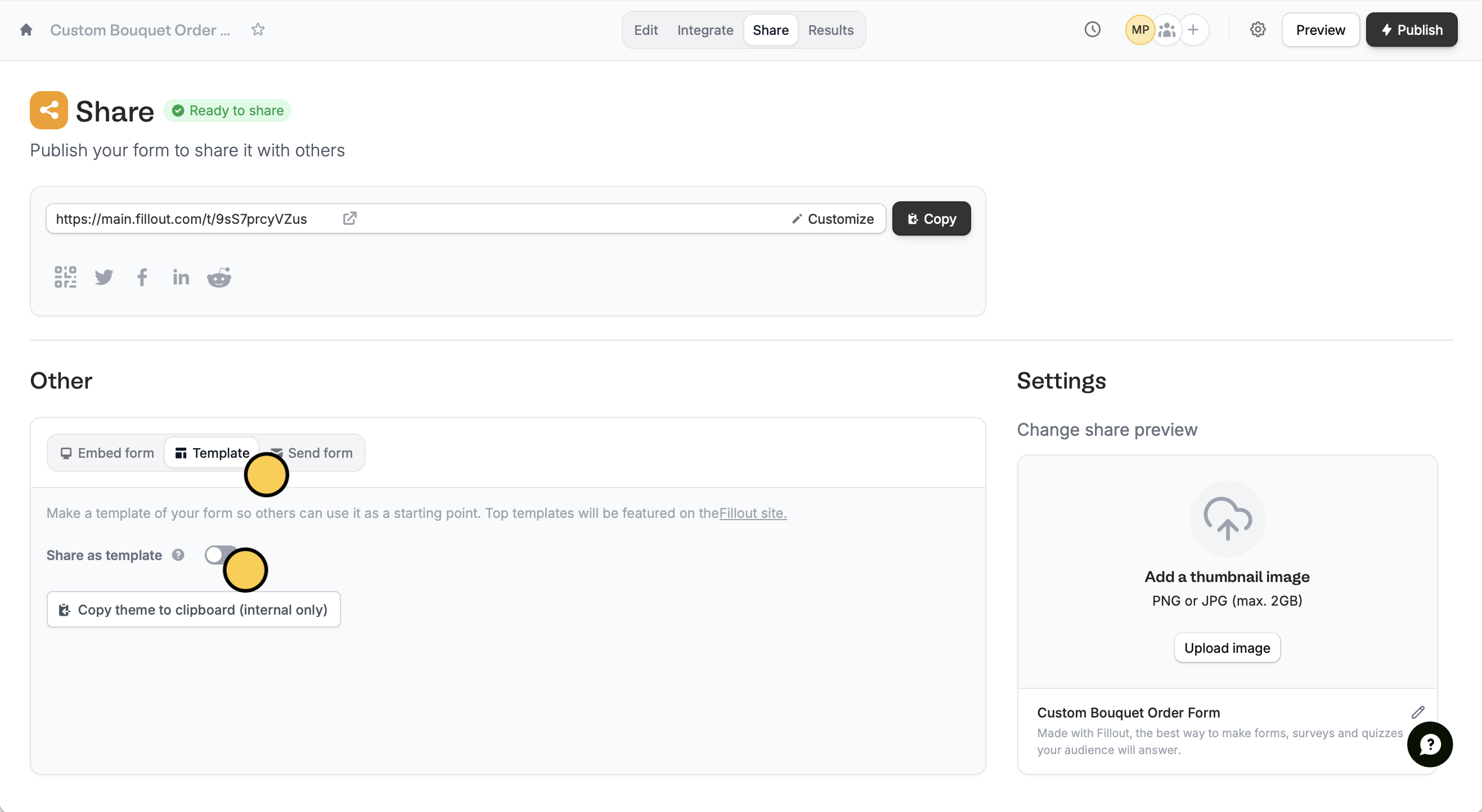
First, open the form you'd like to turn into a template. Click `Share` on top followed by `Template`. Then, toggle the `Share as template` switch.
 Provide the required fields. Click `Create template` and that’s it!
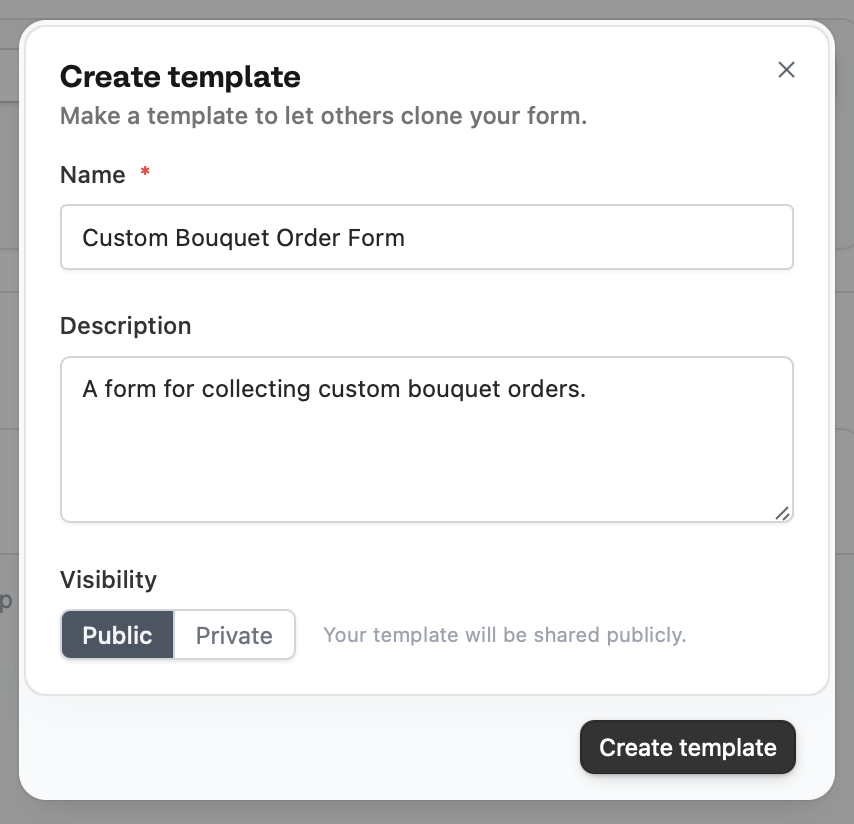 All templates should be set to **Public** for now. We're still putting the finishing touches on a better version of the private templates feature!
Look for the **template icon** on the upper right to tell which of your forms are templates.
All templates should be set to **Public** for now. We're still putting the finishing touches on a better version of the private templates feature!
Look for the **template icon** on the upper right to tell which of your forms are templates.
 ## Public templates
Public templates get an automatically generated landing page, like [this one](https://www.fillout.com/templates/flower-order-form), that you can share with anyone.
Contact [support@fillout.com](mailto:support@fillout.com) if you’d like your template to be visible in the **Template Gallery**.
Any leads that sign up via your templates will count towards your [affiliate account](https://www.fillout.com/affiliate-program). Contact [support@fillout.com](mailto:support@fillout.com) to link your templates to your affiliate account.
## Related articles
Choose from hundreds of customizable templates.
Use different question types, calculate scores, and more.
## Public templates
Public templates get an automatically generated landing page, like [this one](https://www.fillout.com/templates/flower-order-form), that you can share with anyone.
Contact [support@fillout.com](mailto:support@fillout.com) if you’d like your template to be visible in the **Template Gallery**.
Any leads that sign up via your templates will count towards your [affiliate account](https://www.fillout.com/affiliate-program). Contact [support@fillout.com](mailto:support@fillout.com) to link your templates to your affiliate account.
## Related articles
Choose from hundreds of customizable templates.
Use different question types, calculate scores, and more.