> ## Documentation Index
> Fetch the complete documentation index at: https://fillout.com/help/llms.txt
> Use this file to discover all available pages before exploring further.
# Partial submissions
> Automatically save respondents' progress so they can resume later. View partial responses on the Fillout results page.
## Overview
When a respondent closes or exits a form, Fillout saves their progress so they can return later. Upon reopening, a pop-up lets them choose to resume or start over.
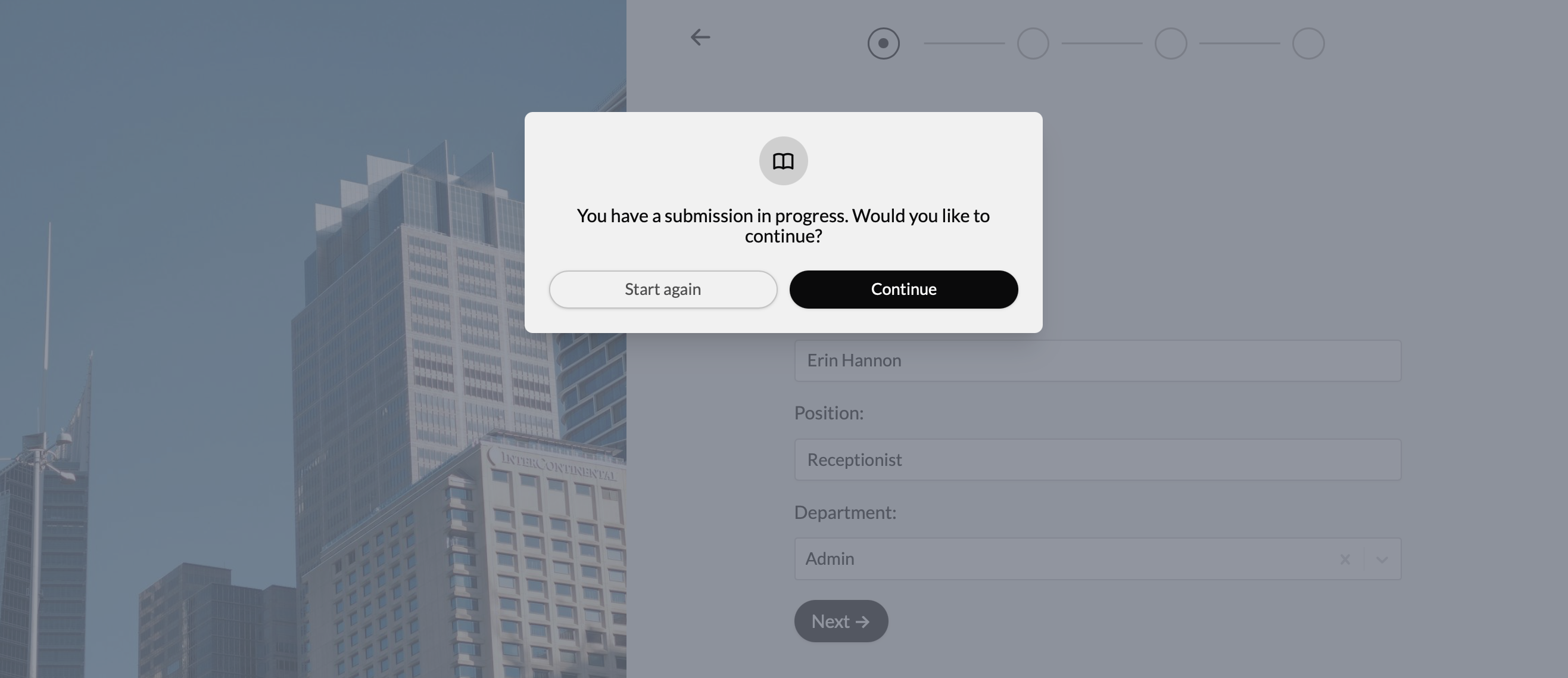 Respondents can simply visit the same link to pick up where they left off. If the form is embedded, they can continue on the same site. They can return as often as needed until the form is submitted.
Partial submissions are not available to respondents on private browser windows, like Incognito mode on Google Chrome. They should also use the same browser and device to resume form submissions.
## How to view partial submissions
Navigate to `Results` on top. Click `In progress` to see submission from those who abandoned or haven’t finished the form yet. This helps you retain valuable data and re-engage prospects who dropped off.
Respondents can simply visit the same link to pick up where they left off. If the form is embedded, they can continue on the same site. They can return as often as needed until the form is submitted.
Partial submissions are not available to respondents on private browser windows, like Incognito mode on Google Chrome. They should also use the same browser and device to resume form submissions.
## How to view partial submissions
Navigate to `Results` on top. Click `In progress` to see submission from those who abandoned or haven’t finished the form yet. This helps you retain valuable data and re-engage prospects who dropped off.
 You can also [filter submissions](https://www.fillout.com/help/view-responses#filter-submissions) in progress. To learn more about navigating the Results section, click [**here**](/view-responses).
Viewing partial responses is only available to Business, Team, and Enterprise plans. Click [**here**](https://www.fillout.com/pricing) to see our pricing plans. However, respondents who answer Fillout forms can continue submissions where they left off on any pricing plan.
## Related articles
View all submissions to your form. Filter, sort, or export to CSV.
Remind respondents who exit early to finish the form.
You can also [filter submissions](https://www.fillout.com/help/view-responses#filter-submissions) in progress. To learn more about navigating the Results section, click [**here**](/view-responses).
Viewing partial responses is only available to Business, Team, and Enterprise plans. Click [**here**](https://www.fillout.com/pricing) to see our pricing plans. However, respondents who answer Fillout forms can continue submissions where they left off on any pricing plan.
## Related articles
View all submissions to your form. Filter, sort, or export to CSV.
Remind respondents who exit early to finish the form.