> ## Documentation Index
> Fetch the complete documentation index at: https://fillout.com/help/llms.txt
> Use this file to discover all available pages before exploring further.
# Collect rankings on your form
> Ask respondents to compare options by ordering a list of items based on their preferences from least to greatest.
## How to add a ranking question type
Scroll down on the left-hand panel of your form and select `Ranking`.
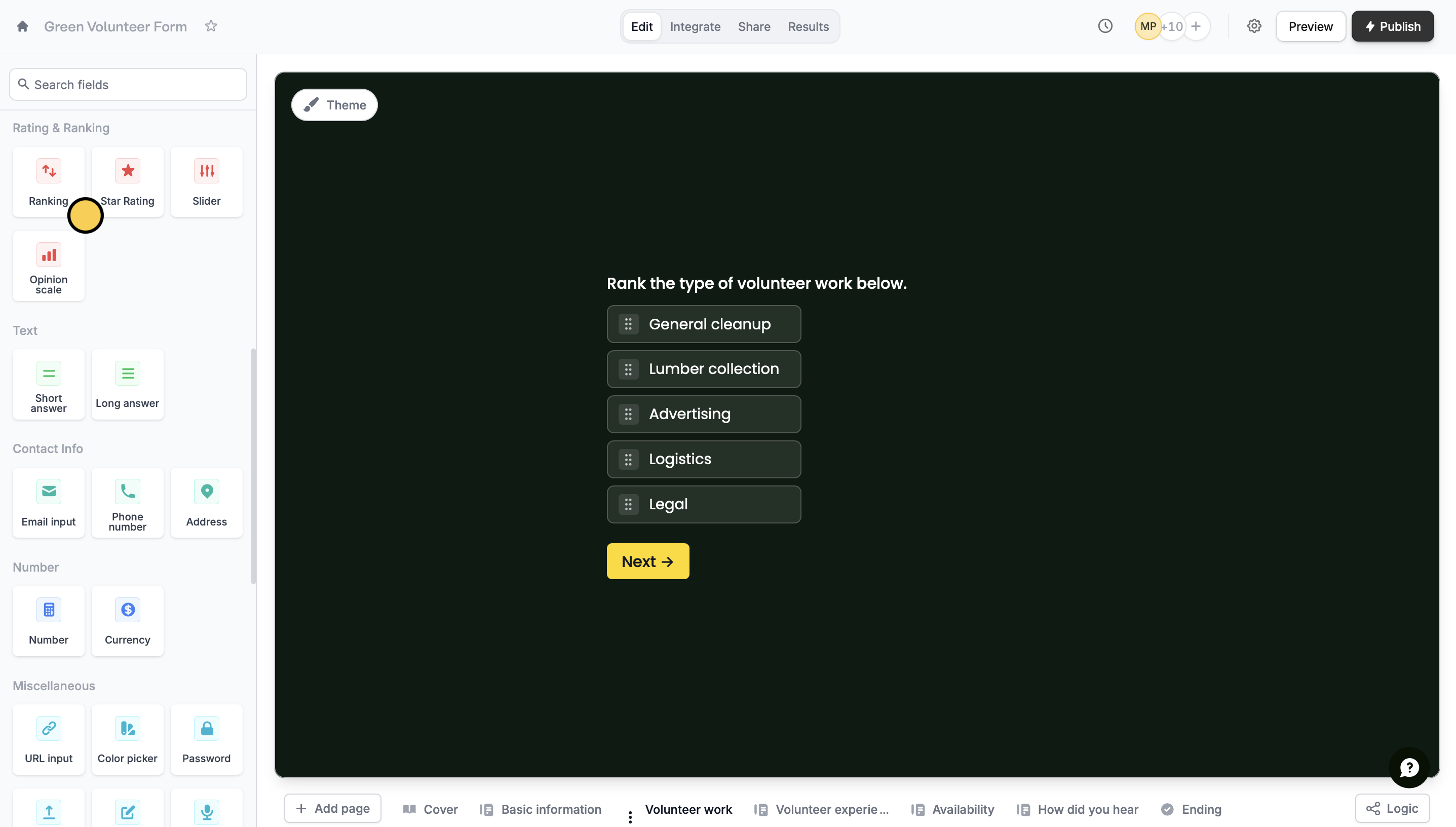 Key in your question or statement and type the options. To add more questions, simply click on **Add option** or **Bulk add** at the bottom of the last option.
Here's how the ranking question type will look like on the respondent's end. To rank, they can drag the options to arrange the order. Alternatively, they may click on the options from their top choice to their least favorite accordingly.
Key in your question or statement and type the options. To add more questions, simply click on **Add option** or **Bulk add** at the bottom of the last option.
Here's how the ranking question type will look like on the respondent's end. To rank, they can drag the options to arrange the order. Alternatively, they may click on the options from their top choice to their least favorite accordingly.
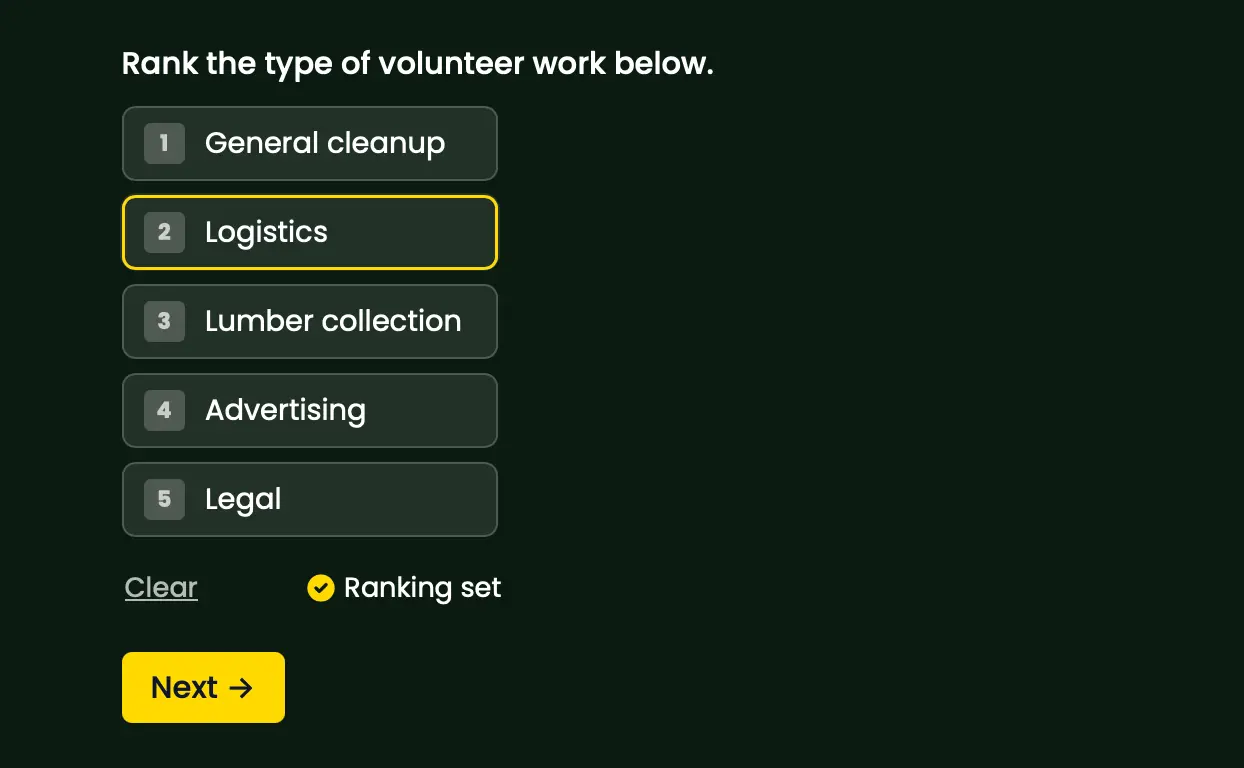 If they decide to change the ranking, they can click on **Clear** to remove the order and start over.
## Ranking vs rating
Although they may sound synonymous, ranking and rating questions have different purposes. **Ranking** questions are used to determine how strongly or weakly a respondent feels with items on a list. For example, asking respondents to rank their most and least favorite dessert. On the other hand, [rating](/rating) questions are asked to compare options on a scale. For example, asking them how they feel about a hybrid working setup from a scale of 1 to 10.
## Related article
Allow respondents to score how good or bad an attribute is.
If they decide to change the ranking, they can click on **Clear** to remove the order and start over.
## Ranking vs rating
Although they may sound synonymous, ranking and rating questions have different purposes. **Ranking** questions are used to determine how strongly or weakly a respondent feels with items on a list. For example, asking respondents to rank their most and least favorite dessert. On the other hand, [rating](/rating) questions are asked to compare options on a scale. For example, asking them how they feel about a hybrid working setup from a scale of 1 to 10.
## Related article
Allow respondents to score how good or bad an attribute is.