> ## Documentation Index
> Fetch the complete documentation index at: https://fillout.com/help/llms.txt
> Use this file to discover all available pages before exploring further.

# Reschedule Fillout Scheduling meetings

> Change the date and time of your meeting or appointment directly from the Google or Outlook Calendar event.

export const SupportBanner = () => {
  const titleId = React.useId();
  return <div className="support-banner" role="region" aria-labelledby={titleId}>
      <span className="support-banner__ring support-banner__ring--outer" aria-hidden="true" />
      <span className="support-banner__ring support-banner__ring--middle" aria-hidden="true" />
      <span className="support-banner__ring support-banner__ring--inner" aria-hidden="true" />
      <span className="support-banner__ring support-banner__ring--center" aria-hidden="true" />

      <div className="support-banner__content">
        <div className="support-banner__title" id={titleId} role="heading" aria-level="2">Still have questions?</div>

        <div className="support-banner__copy">
          <span className="support-banner__line">Our team is happy to help. Start a live chat using the</span>
          <span className="support-banner__line">
            chat bubble <span className="support-banner__chat-icon" aria-hidden="true" /> in the bottom right, or email us at
          </span>
          <span className="support-banner__line">
            <a href="mailto:support@fillout.com">support{'@'}fillout.com</a>
          </span>
        </div>

        <a className="support-banner__cta" href="mailto:support@fillout.com">Contact us</a>
      </div>
    </div>;
};

## How it works

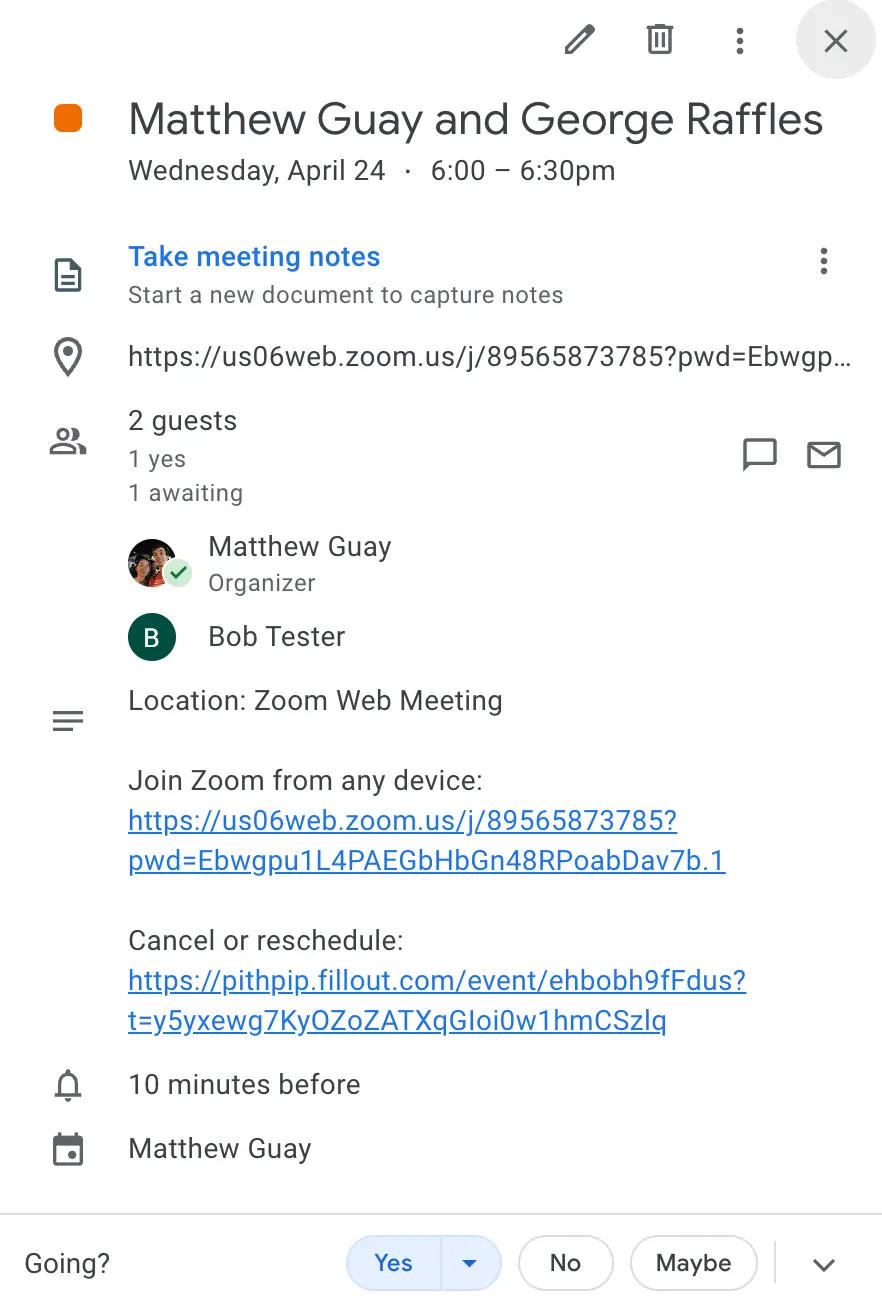
Each Fillout Scheduling meeting invitation in Google or Outlook Calendar will include the names of the meeting participants, along with a link to join a Zoom or Google Meet call if selected.
<img src="https://mintcdn.com/fillout-005a867b/FqvyS0NEDuPdNc27/images/scheduling/image-7.png?fit=max&auto=format&n=FqvyS0NEDuPdNc27&q=85&s=140393e2431e3ceee8f47bbe8db19476" alt="" style={{ width:"74%" }} width="882" height="1308" data-path="images/scheduling/image-7.png" />

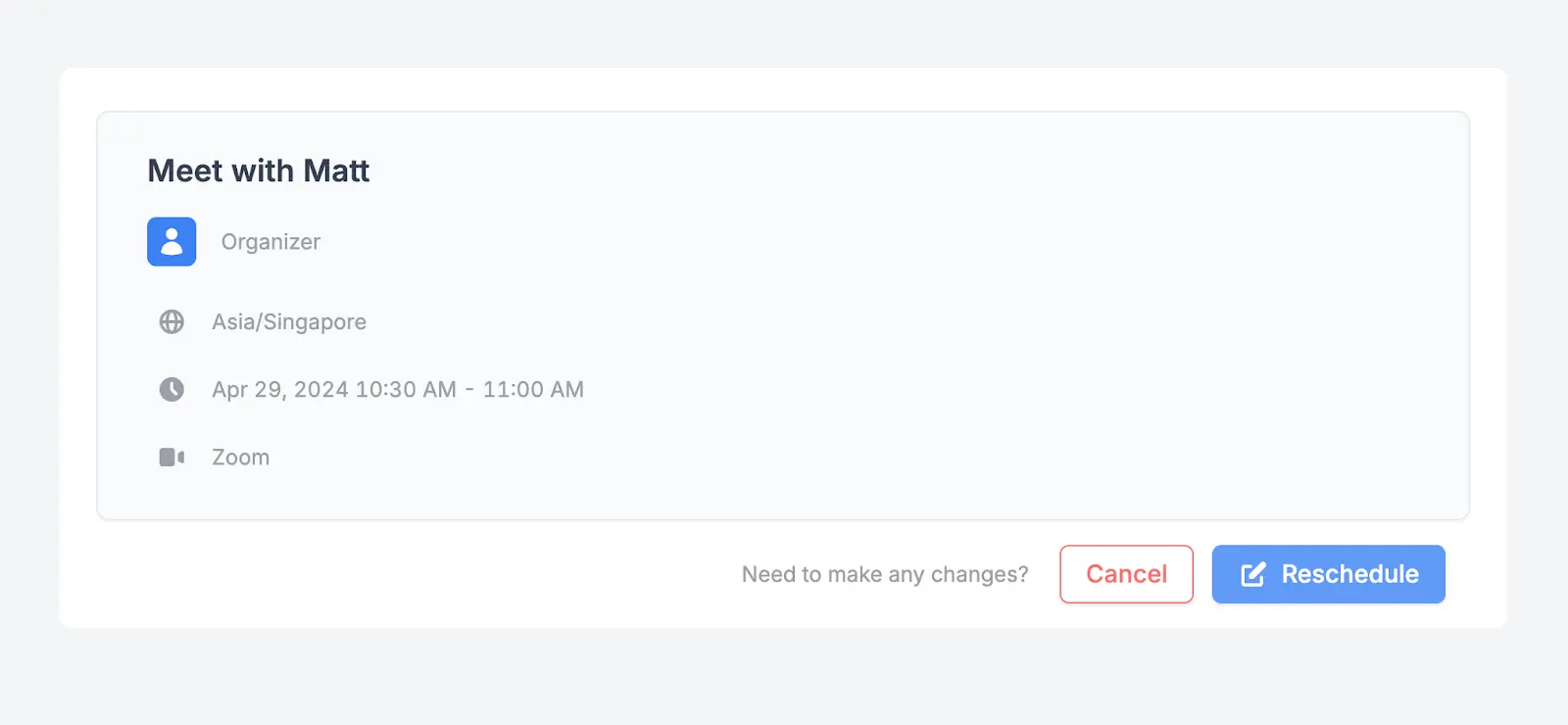
The event details will also include a Fillout link to `Cancel` or `Reschedule` the meeting if needed.
<img src="https://mintcdn.com/fillout-005a867b/FqvyS0NEDuPdNc27/images/scheduling/image-8.png?fit=max&auto=format&n=FqvyS0NEDuPdNc27&q=85&s=5366d84826c4e989da52b01cd91d4591" alt="" style={{ width:"88%" }} width="1600" height="740" data-path="images/scheduling/image-8.png" />

<SupportBanner />
