> ## Documentation Index
> Fetch the complete documentation index at: https://fillout.com/help/llms.txt
> Use this file to discover all available pages before exploring further.
# Round robin scheduling
> Efficiently distribute appointments across team members based on availability and priority settings with Fillout Scheduling for free.
## What is round robin scheduling
Round robin scheduling allocates appointments among hosts based on availability and priorities, ensuring each host gets equal opportunities and preventing any single host from being overloaded.
## Tutorial video
Check out [Gareth](https://www.garethpronovost.com/)’s tutorial on Fillout’s round robin scheduling feature.
## How to set up
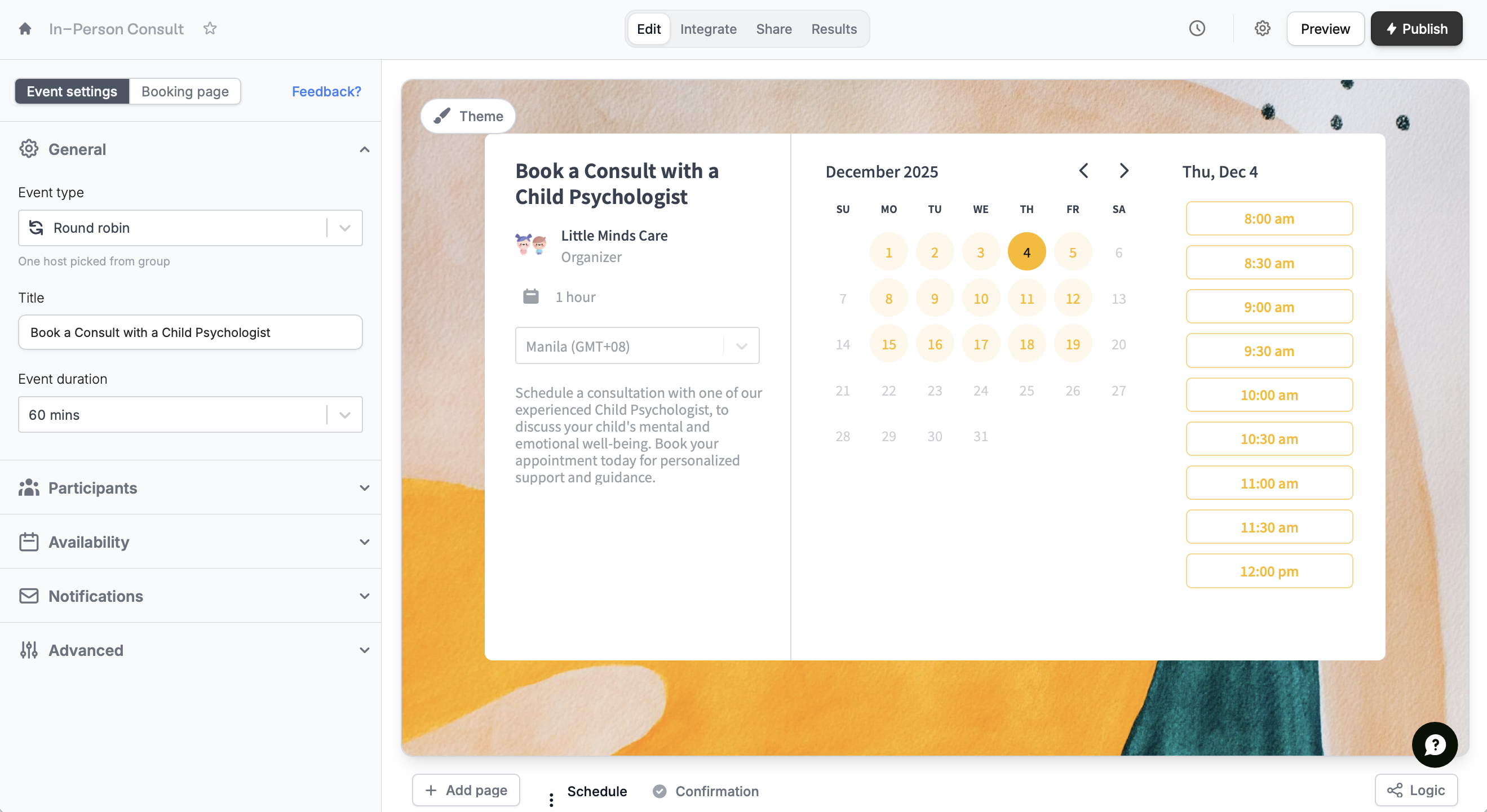
From your dashboard `Create` the form. Follow the quick steps [here](/fillout-scheduling-intro).
Each team member must link their calendar to Fillout in order to be added as a host.
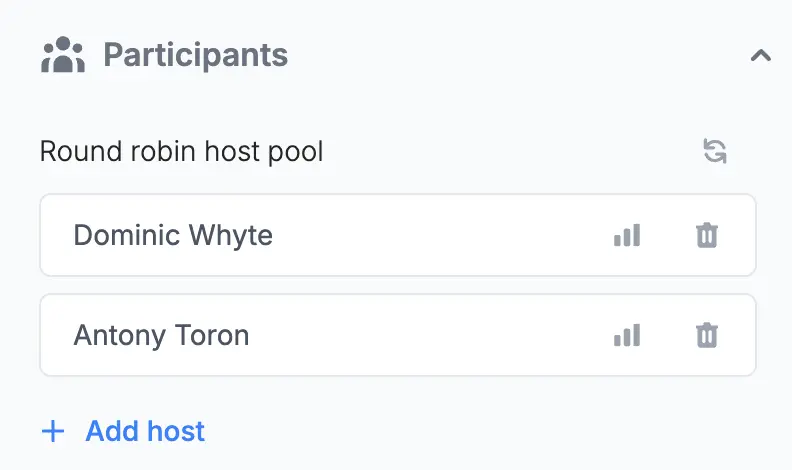
Select `Round robin` and choose which hosts to add.
On the left-hand panel, edit the details as you see fit. You can also [customize avatars](https://www.fillout.com/help/customize-fillout-scheduling#change-your-avatar) to maintain brand consistency by clicking `Booking page` on top.
That's it! `Publish` your form and share the link or embed it anywhere.
## Manage Priority and Availability
**Priority Settings**
On the left-hand panel, you can assign priority levels to participants to control the distribution of appointments. Higher priority members are more likely to receive bookings if multiple participants are available at the same time.
**Automatic Assignment**
Fillout’s round robin algorithm assigns appointments based on the last scheduled participant to ensure even distribution, provided all conditions of priority and availability are met.
**Adjusting Locations and Meeting Details**
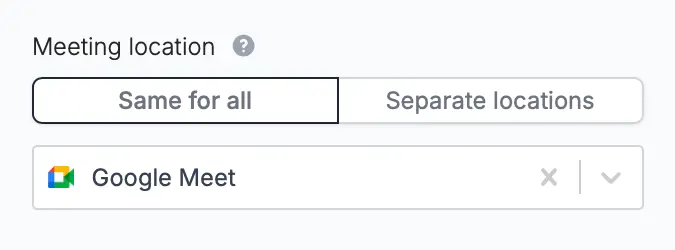
Define one **Meeting location** or set different locations for each participant. Choose between Google Meet, Teams, Zoom, and more.
## Related articles
Specify your available hours and buffer times through forms.
Tweak your form’s design, link, and avatar to match your brand.
Set meetings with one invitee and multiple hosts.
 **Automatic Assignment**
Fillout’s round robin algorithm assigns appointments based on the last scheduled participant to ensure even distribution, provided all conditions of priority and availability are met.
**Adjusting Locations and Meeting Details**
Define one **Meeting location** or set different locations for each participant. Choose between Google Meet, Teams, Zoom, and more.
**Automatic Assignment**
Fillout’s round robin algorithm assigns appointments based on the last scheduled participant to ensure even distribution, provided all conditions of priority and availability are met.
**Adjusting Locations and Meeting Details**
Define one **Meeting location** or set different locations for each participant. Choose between Google Meet, Teams, Zoom, and more.
 ## Related articles