> ## Documentation Index
> Fetch the complete documentation index at: https://fillout.com/help/llms.txt
> Use this file to discover all available pages before exploring further.
# Section collapse
> Group questions together and show or hide many questions at a time.
## How to group questions
Simply drag the `Section collapse` field onto your form.
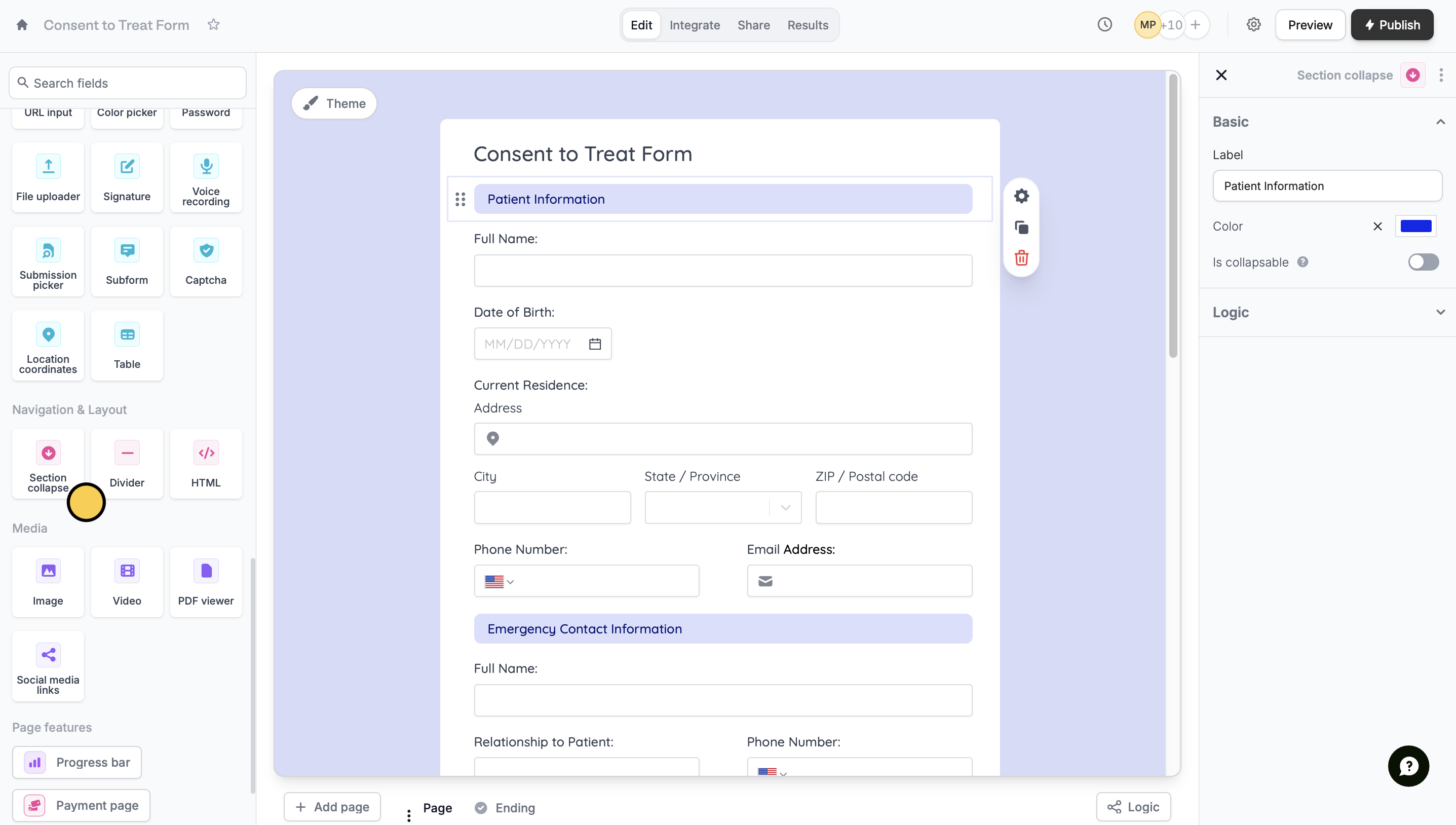 To end a section and start a new one on the same page, add another `Section collapse` field.
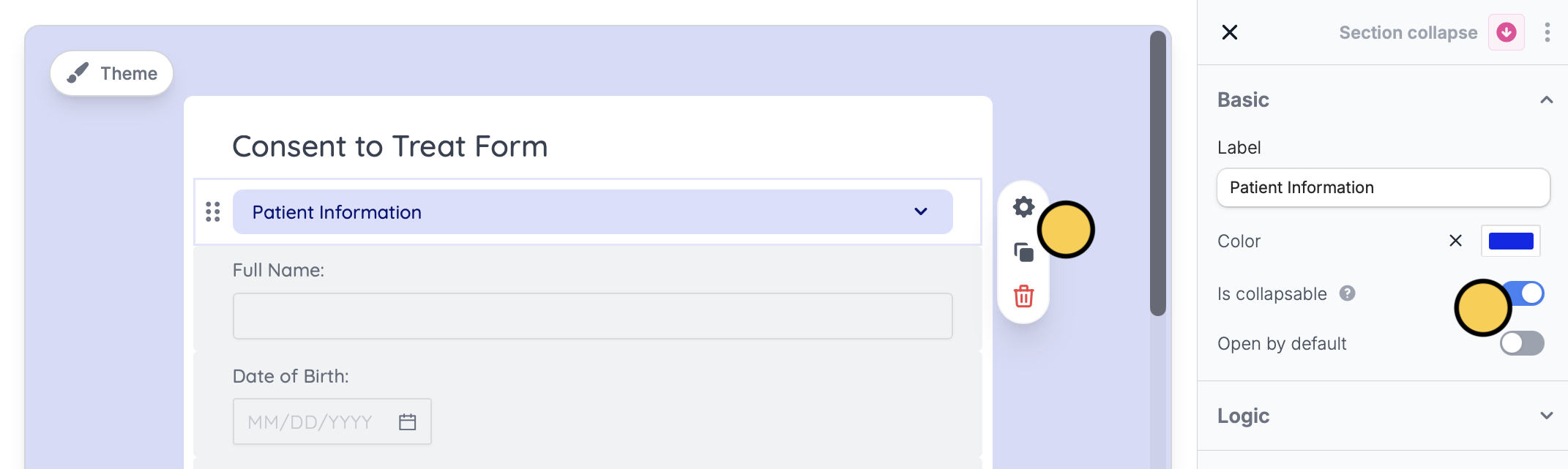
You can also enable `Is collapsable` to allow the user to open or close a particular section. Click the field followed by its to toggle the switch on the right-hand panel.
To end a section and start a new one on the same page, add another `Section collapse` field.
You can also enable `Is collapsable` to allow the user to open or close a particular section. Click the field followed by its to toggle the switch on the right-hand panel.
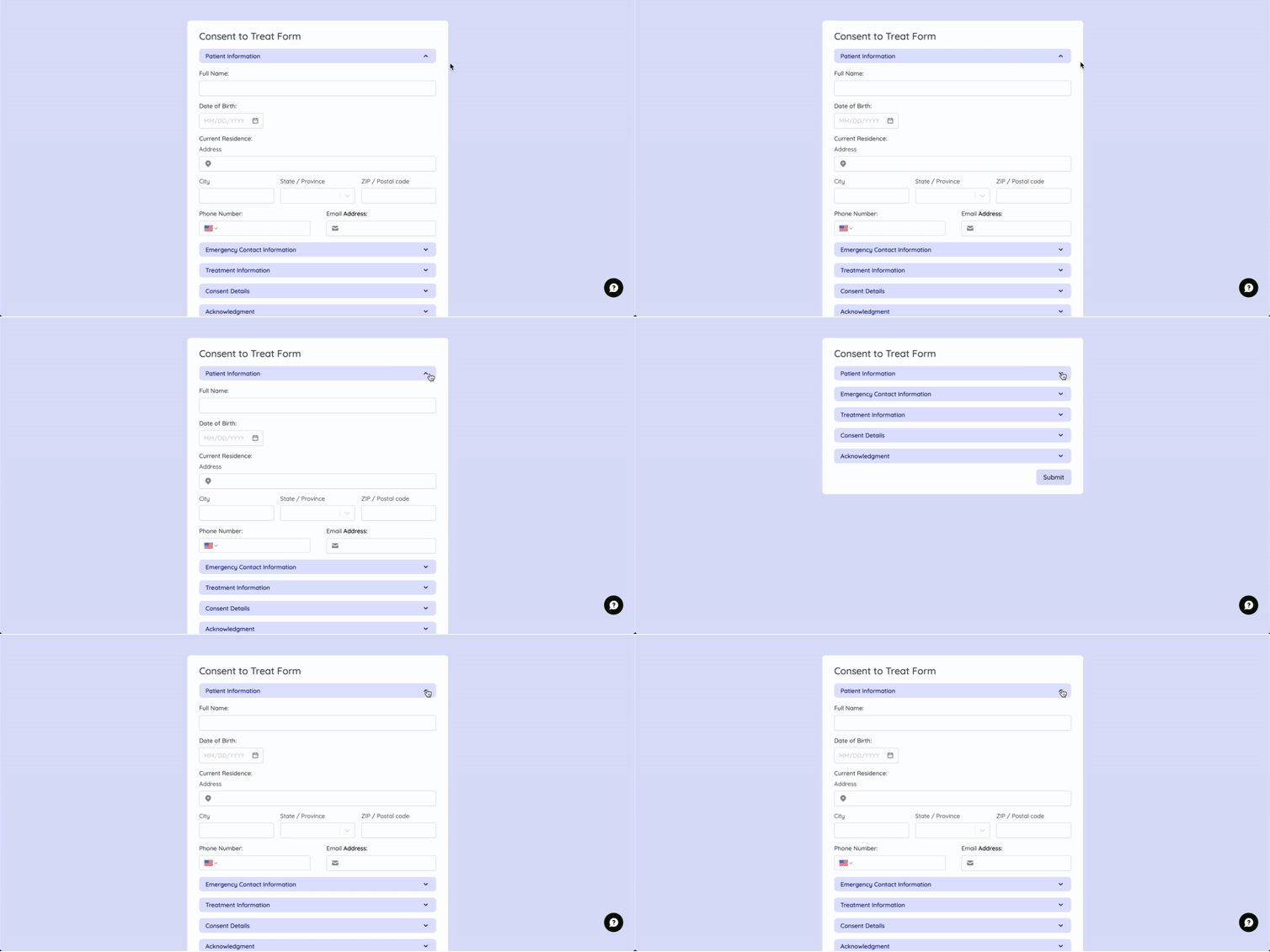
 This is how it would look like from your respondents' point of view.
 ## Conditionally hide many questions at once
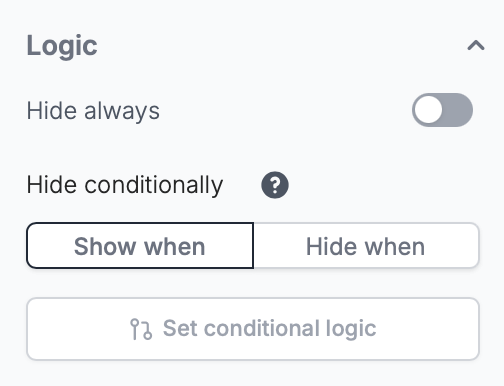
If you set [conditional hiding](/conditional-hiding) logic on a section, all the questions in that section will be shown/hidden based on that logic. This can be done on the right-hand panel.
## Conditionally hide many questions at once
If you set [conditional hiding](/conditional-hiding) logic on a section, all the questions in that section will be shown/hidden based on that logic. This can be done on the right-hand panel.
 ## Related article
Hide or show fields based on answers, URL parameters or data.
## Related article
Hide or show fields based on answers, URL parameters or data.