> ## Documentation Index
> Fetch the complete documentation index at: https://fillout.com/help/llms.txt
> Use this file to discover all available pages before exploring further.
# How to create a SmartSuite form
> Send responses from your Fillout form to a SmartSuite solution. Drag and drop your fields into the form, and see answers appear in your app automatically.
The SmartSuite integration is being improved every day! See the features we’re working on adding at the bottom of this guide.
## What is SmartSuite?
[**SmartSuite**](https://www.smartsuite.com/about-us) is a team-oriented work management platform that empowers groups to organize, monitor, and oversee workflows, projects, and daily assignments efficiently. It provides a centralized solution for planning and overseeing all your team's tasks and projects.
## Video tutorial
## How it works
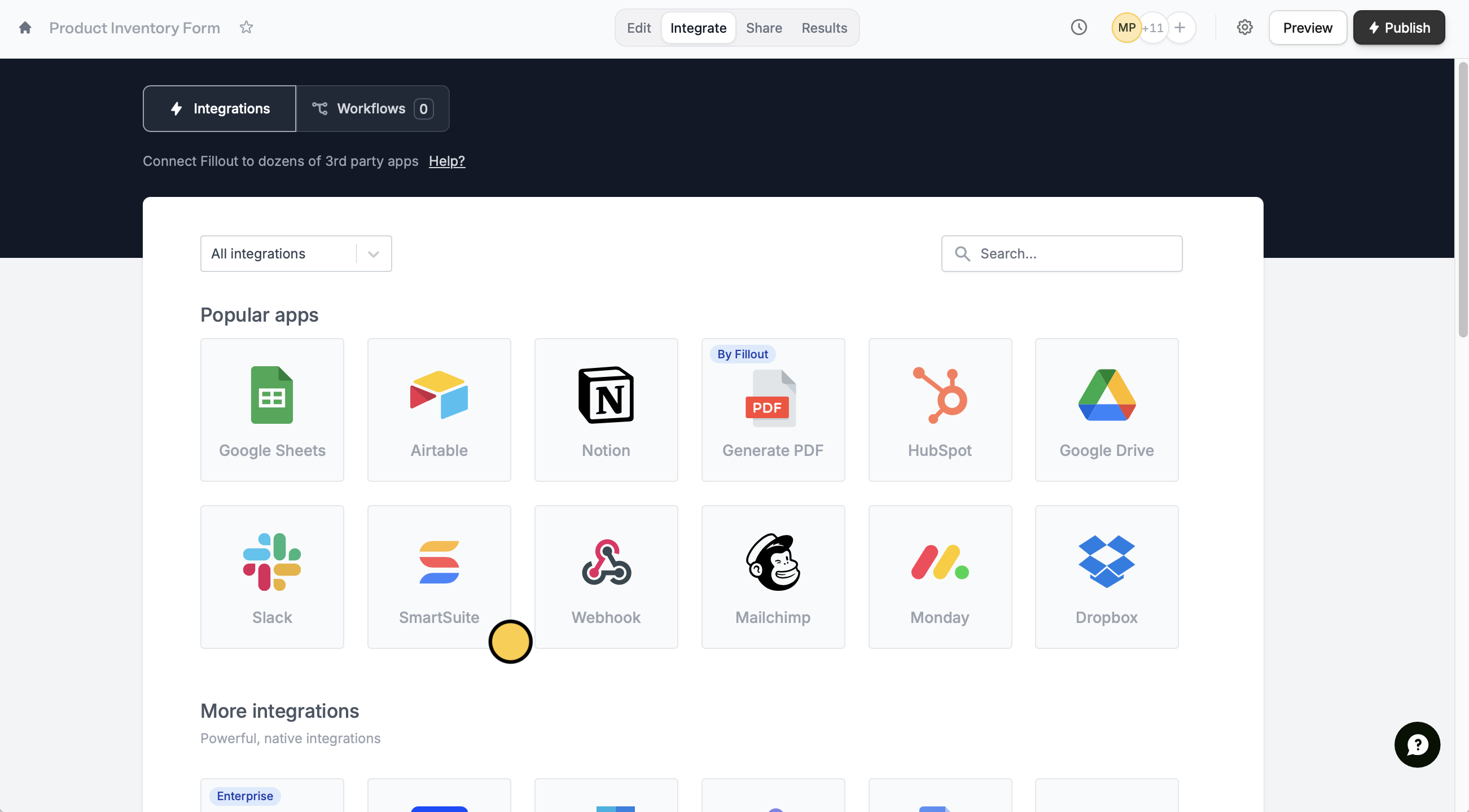
Head to the `Integrate` tab from the top menu, and select `SmartSuite`.
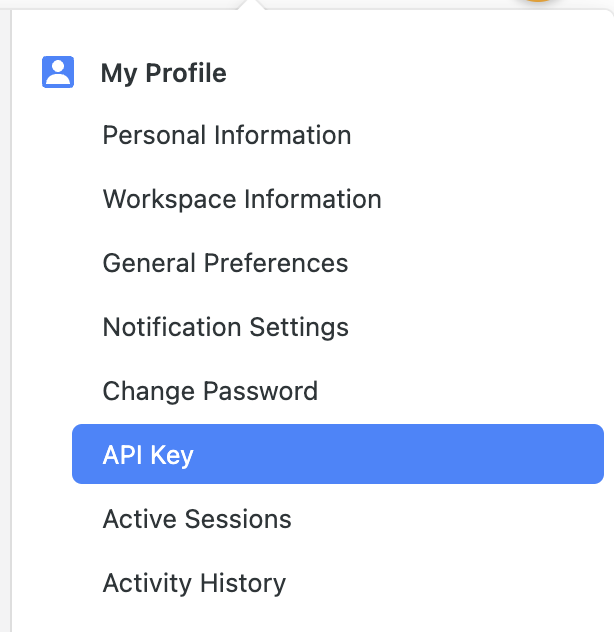
 Input your SmartSuite **API key** and **Workspace ID**. You can find your **API key** in your user profile.
 Your **workspace ID** is the first 8 characters after [https://app.smartsuite.com](https://app.smartsuite.com) when you’re logged in. Refer to the [SmartSuite help center](https://help.smartsuite.com/en/articles/6096587-retrieving-your-api-key-and-workspace-id) for more info on how to find these.
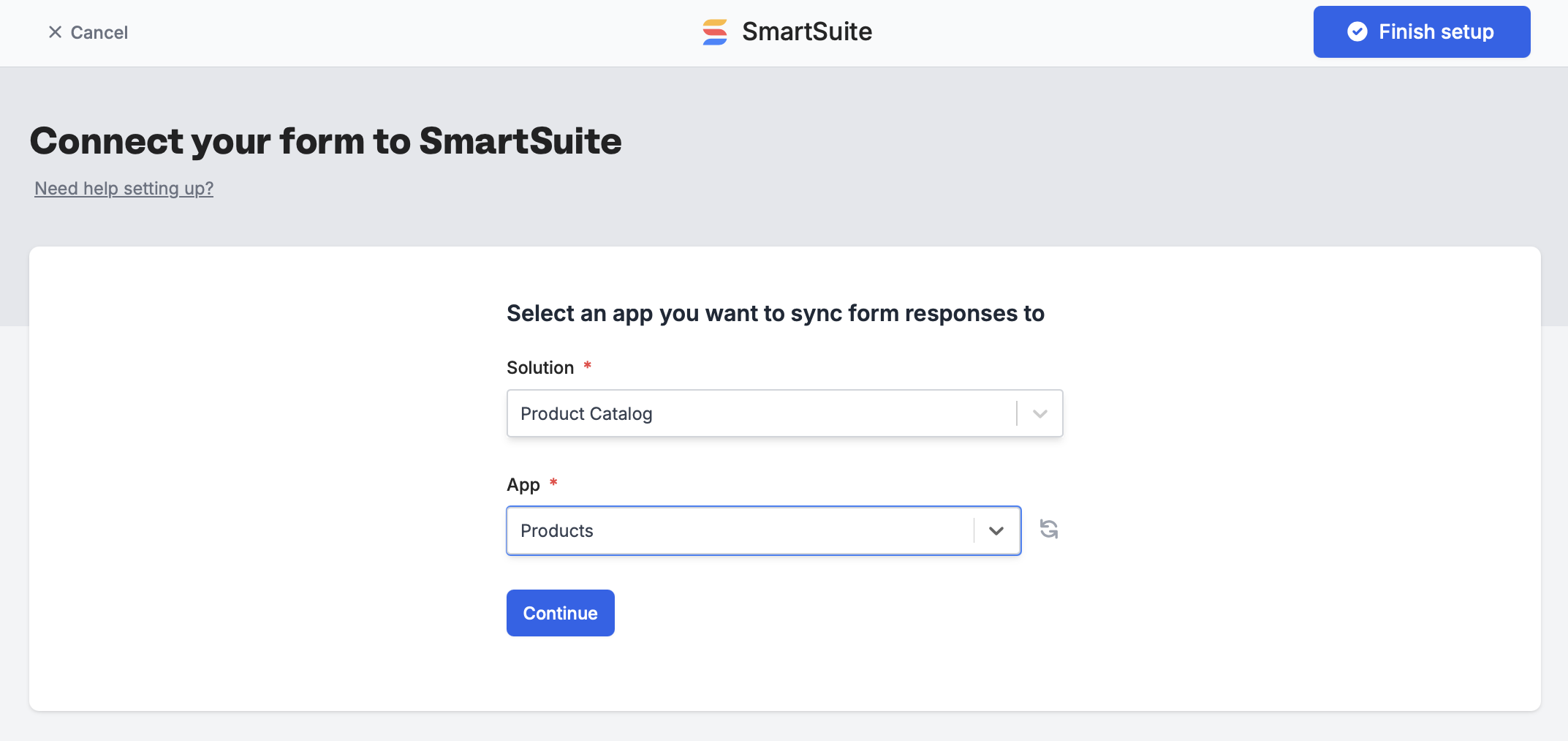
 Then, pick a **Solution** and **App** you’d like records to be either created or updated in and `Finish setup`.
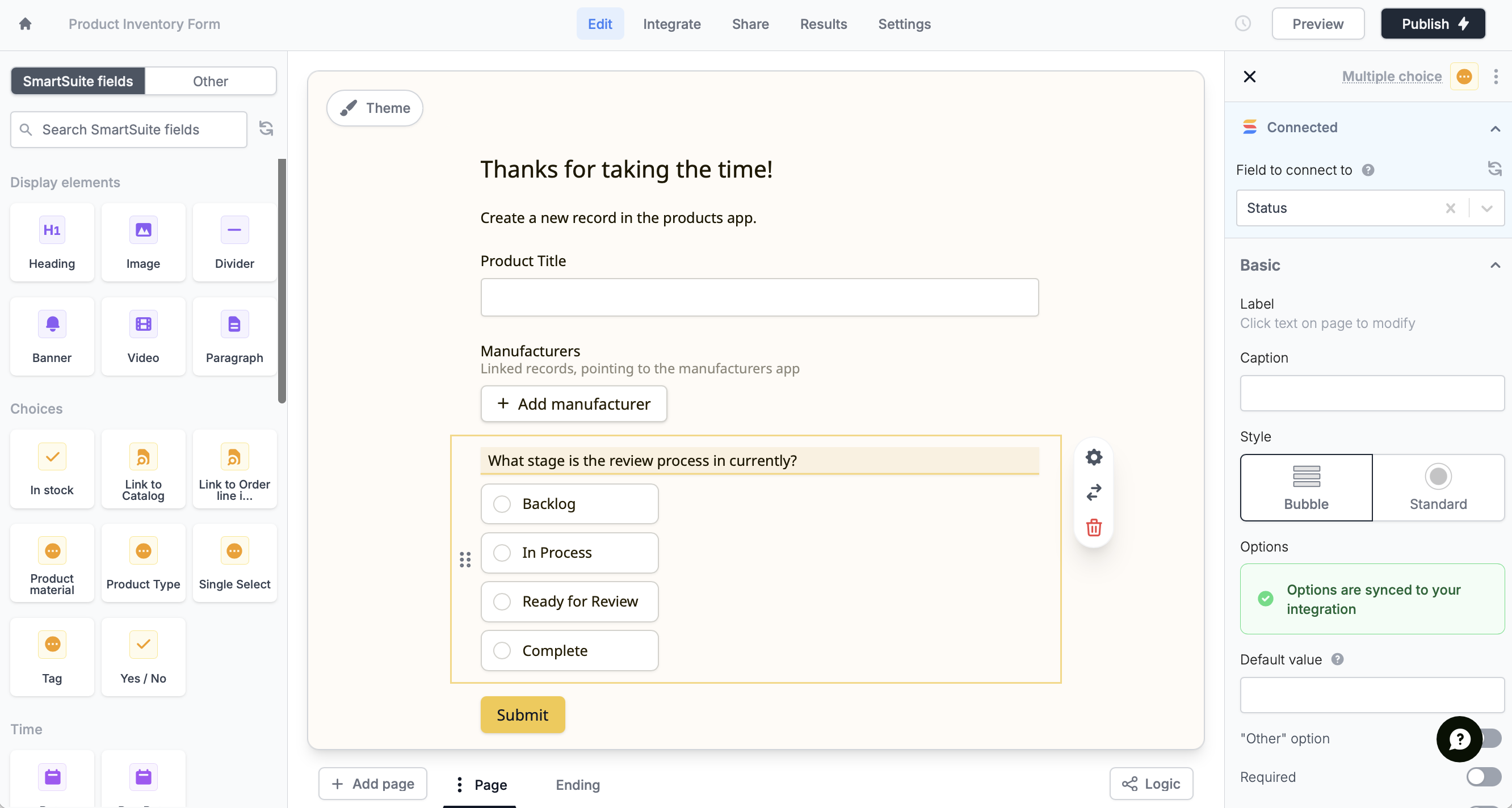
 SmartSuite fields will automatically appear on the left-hand panel. Drag and drop these into your form.
 You can also [manually map fields](https://www.fillout.com/help/additional-integration-mappings) in the `Integrate` page.
That's it! New submissions will be added as rows in your solution. Click `Publish` to make the changes reflect and share or embed your form.
Fillout has many powerful features like [branching](/page-logic) and [conditional hide/appear logic](/conditional-hiding). No matter how complex your needs are, there’s a way to build it in Fillout.
## SmartSuite feature roadmap
The following SmartSuite fields are not yet supported in Fillout forms, but are on the roadmap:
Date range, Signature, Checklist, Social network, Rich text area, Sub-items, Time tracking, User(s), Availability status, Color picker, Full name, Duration, and Cross-solution links
## Specify a condition
You can run your integration only when a specific condition is met. Check out this [guide](/conditional-integration).
## SmartSuite Specific Guide
Auto-edit records with form submissions.
You can also [manually map fields](https://www.fillout.com/help/additional-integration-mappings) in the `Integrate` page.
That's it! New submissions will be added as rows in your solution. Click `Publish` to make the changes reflect and share or embed your form.
Fillout has many powerful features like [branching](/page-logic) and [conditional hide/appear logic](/conditional-hiding). No matter how complex your needs are, there’s a way to build it in Fillout.
## SmartSuite feature roadmap
The following SmartSuite fields are not yet supported in Fillout forms, but are on the roadmap:
Date range, Signature, Checklist, Social network, Rich text area, Sub-items, Time tracking, User(s), Availability status, Color picker, Full name, Duration, and Cross-solution links
## Specify a condition
You can run your integration only when a specific condition is met. Check out this [guide](/conditional-integration).
## SmartSuite Specific Guide
Auto-edit records with form submissions.