> ## Documentation Index
> Fetch the complete documentation index at: https://fillout.com/help/llms.txt
> Use this file to discover all available pages before exploring further.
# Video
> Add a video anywhere in your form from YouTube, Vimeo or any video platform.
## How to add a video
First, drag the `Video` field onto your form.
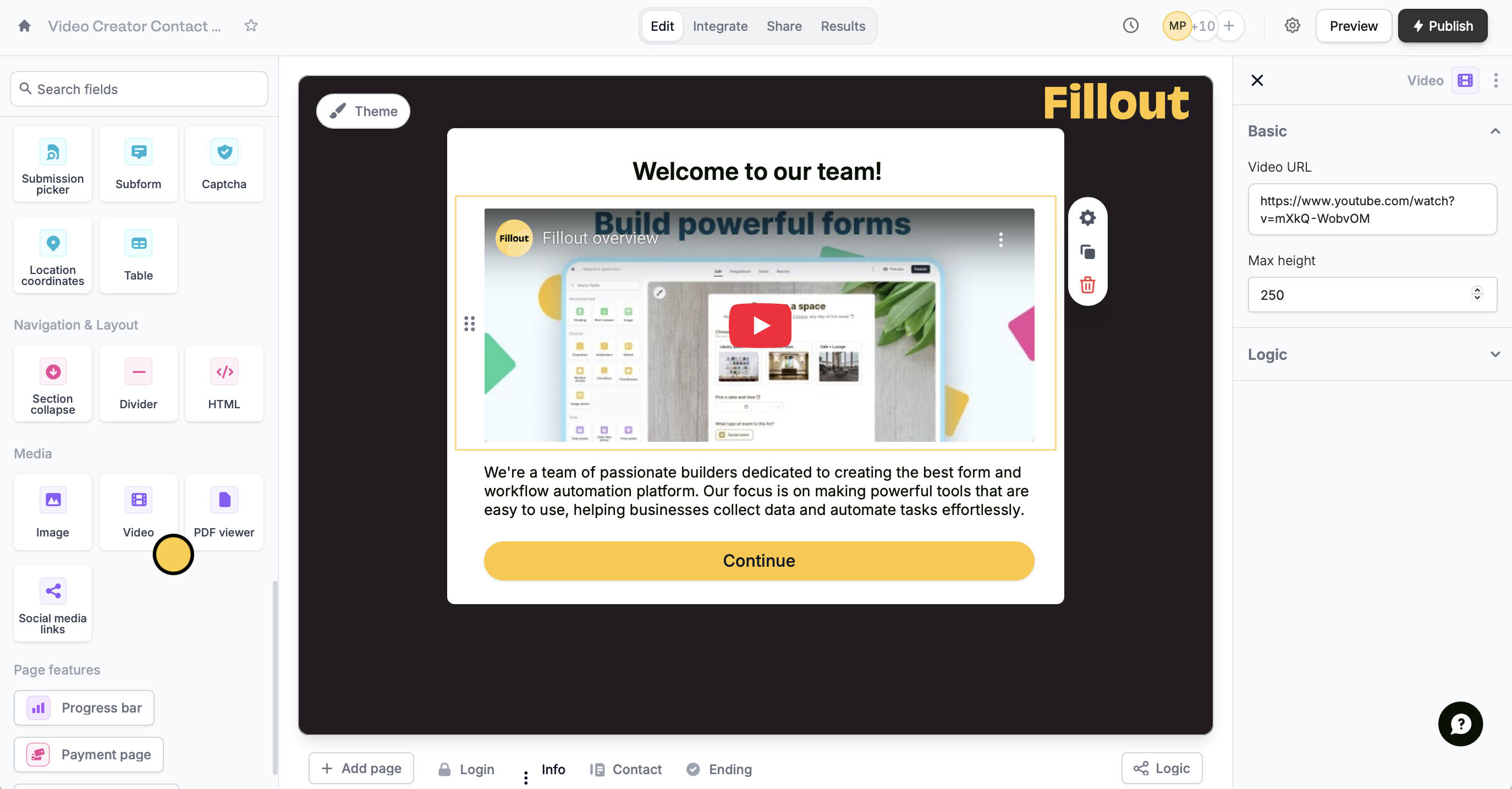 Click to open the right-hand panel. Paste the **Video URL** of the video you want to display. Adjust the **Max height** as needed.
## Let respondents upload a video
To collect video submissions from your respondents, simply click the `File uploader` field in the left-hand panel. Check out our quick guide [here](/file-upload).
## Related article
Collect files and restrict to certain file types or size.
Click to open the right-hand panel. Paste the **Video URL** of the video you want to display. Adjust the **Max height** as needed.
## Let respondents upload a video
To collect video submissions from your respondents, simply click the `File uploader` field in the left-hand panel. Check out our quick guide [here](/file-upload).
## Related article
Collect files and restrict to certain file types or size.