

How it works
You can let others update your Zite database securely using a Fillout login form. Instead of giving direct access to your tables, users must log in with their email, password, or SSO to access the form. Once logged in, they can create new records or edit existing ones, and their responses will automatically update your database.Before you start, you’ll need a Fillout form with a login page. See details here.
Common use cases
- Vendor Management: Let suppliers add or update contact info, product lists, or pricing
- Customer Details: Allow customers to modify their delivery preferences or profile info
- Event Registrations: Enable attendees to update registration details or special requests
- Customer Disputes: Let customers or support update dispute status
- Sales Leads: Let your sales team add or update lead info, deal status, or follow-up notes
Allow adding records via login
Connect your login form
Open the Fillout form where login is enabled. Click 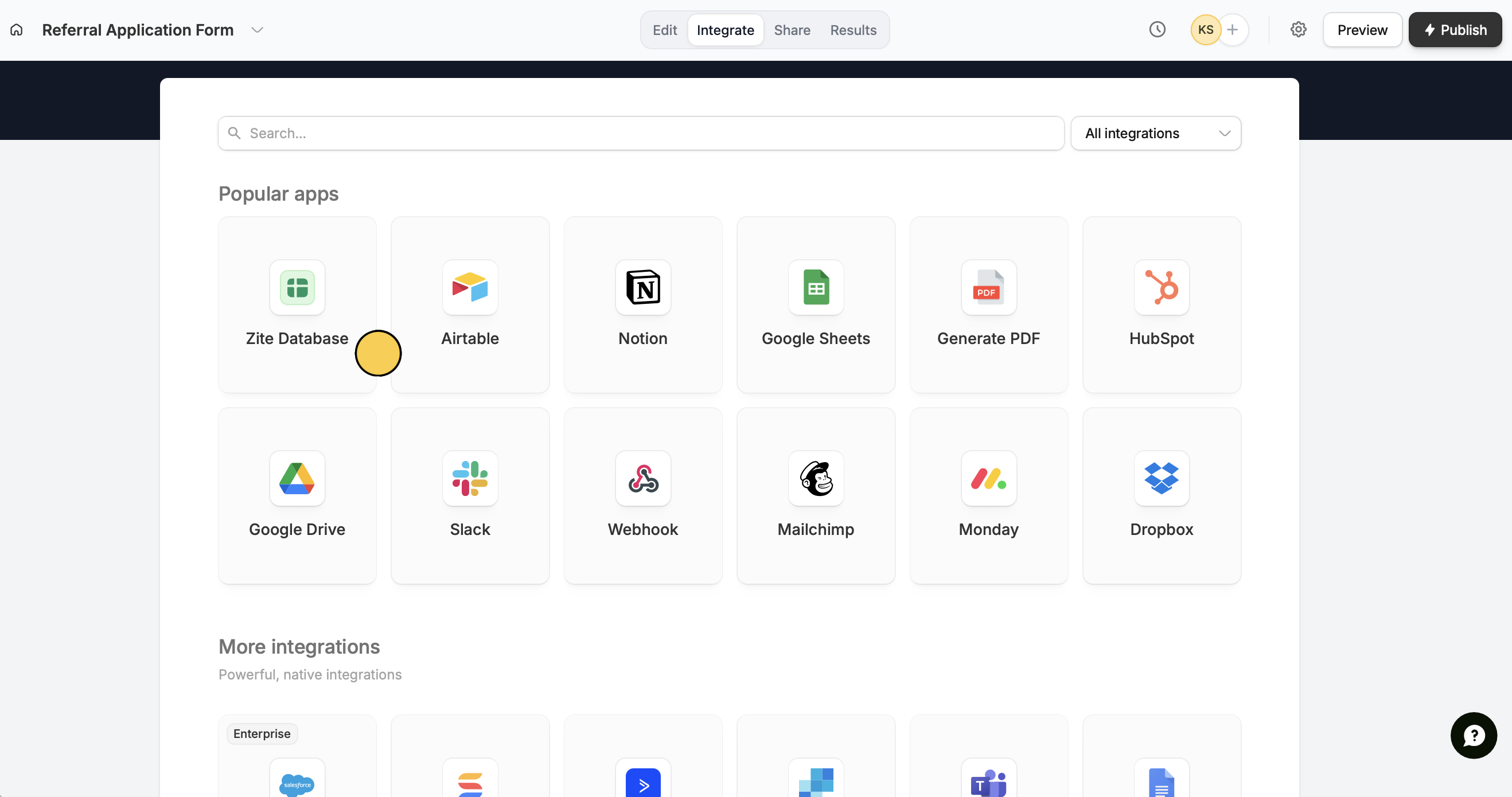
Integrate on top followed by Zite database.Set your database
You can update a 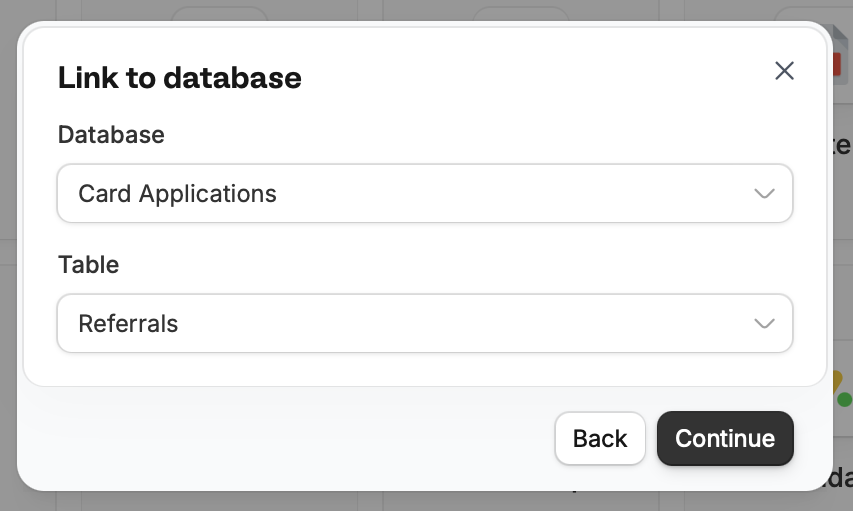
New or Existing database. If you choose the latter, select your Database and Table.Map columns
Zite automatically links database columns to matching Fillout form fields. Click 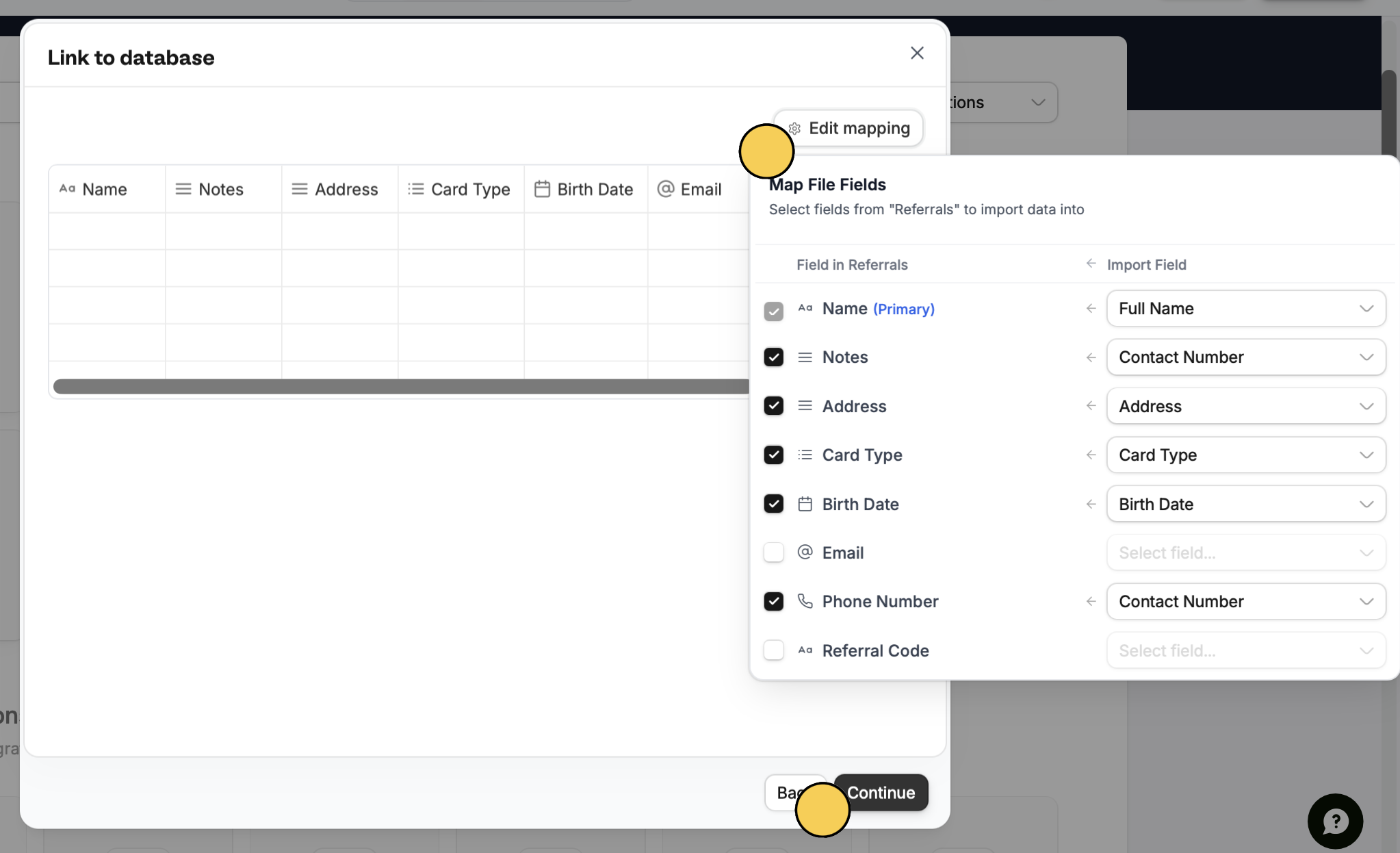
Edit mapping to review. You can also manually map new or unmatched fields, such as email fields from login pages.Publish form in the next popup to save changes.Publish and share
Publish on the upper right corner to reflect changes, then share your form.That’s it! Now, verified users who have completed the form can add new records to your database automatically.Allow updating records via login
To let others update records, follow steps one through three above, then switch to Update mode.Related articles
Sync form results
Add multiple tables, custom fields, views, and more.
Update with forms
Edit existing Zite database records with a Fillout form.
Map columns
Send values to your Zite columns from a Fillout form.