
Recover previous version
1

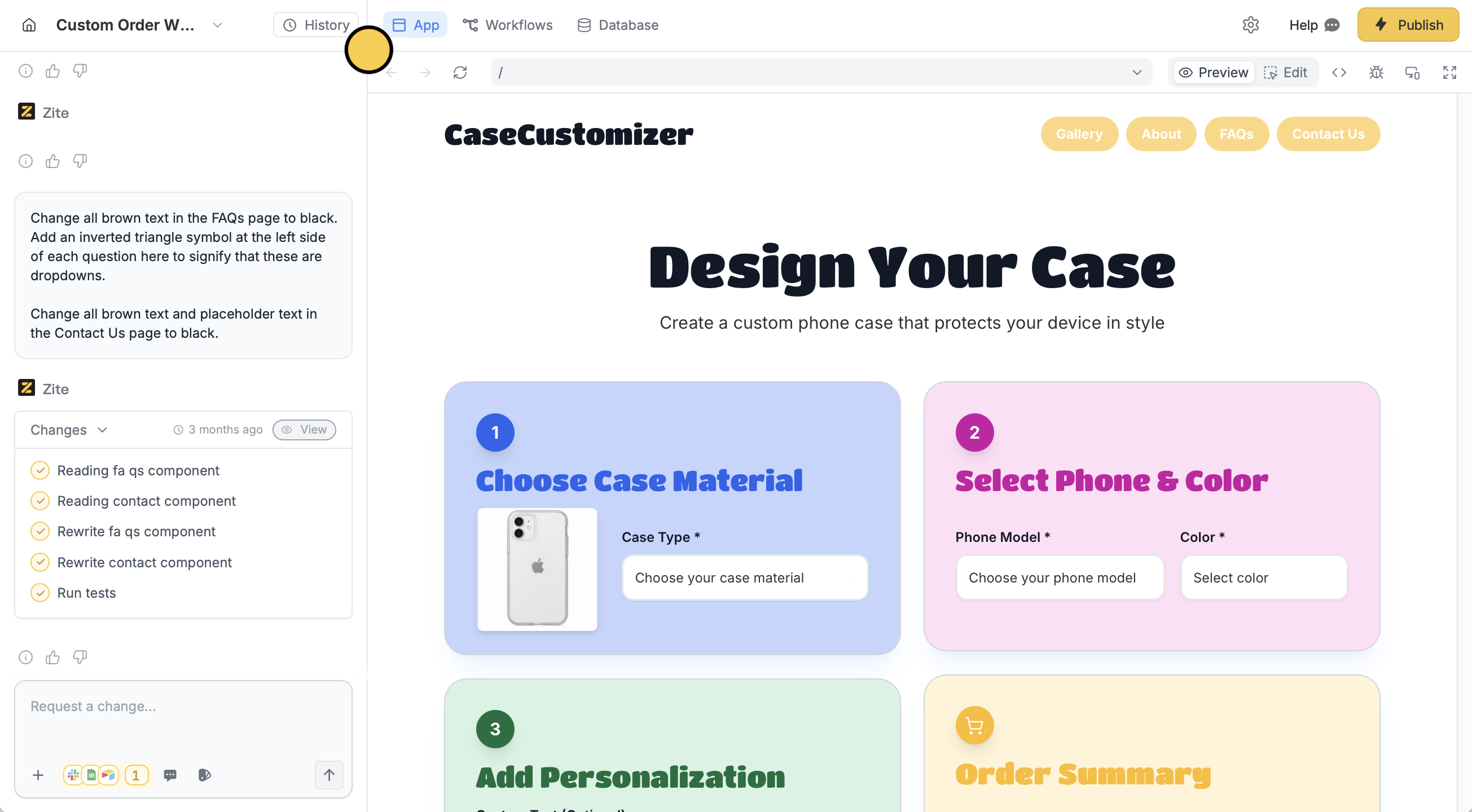
View version history

Click History to open the list of all changes made to your app.Screenshot 2025-12-16 at 3.11.08 PM.png
2

Undo recent changes

In the left sidebar, select the earlier version you prefer. Then, click Restore.
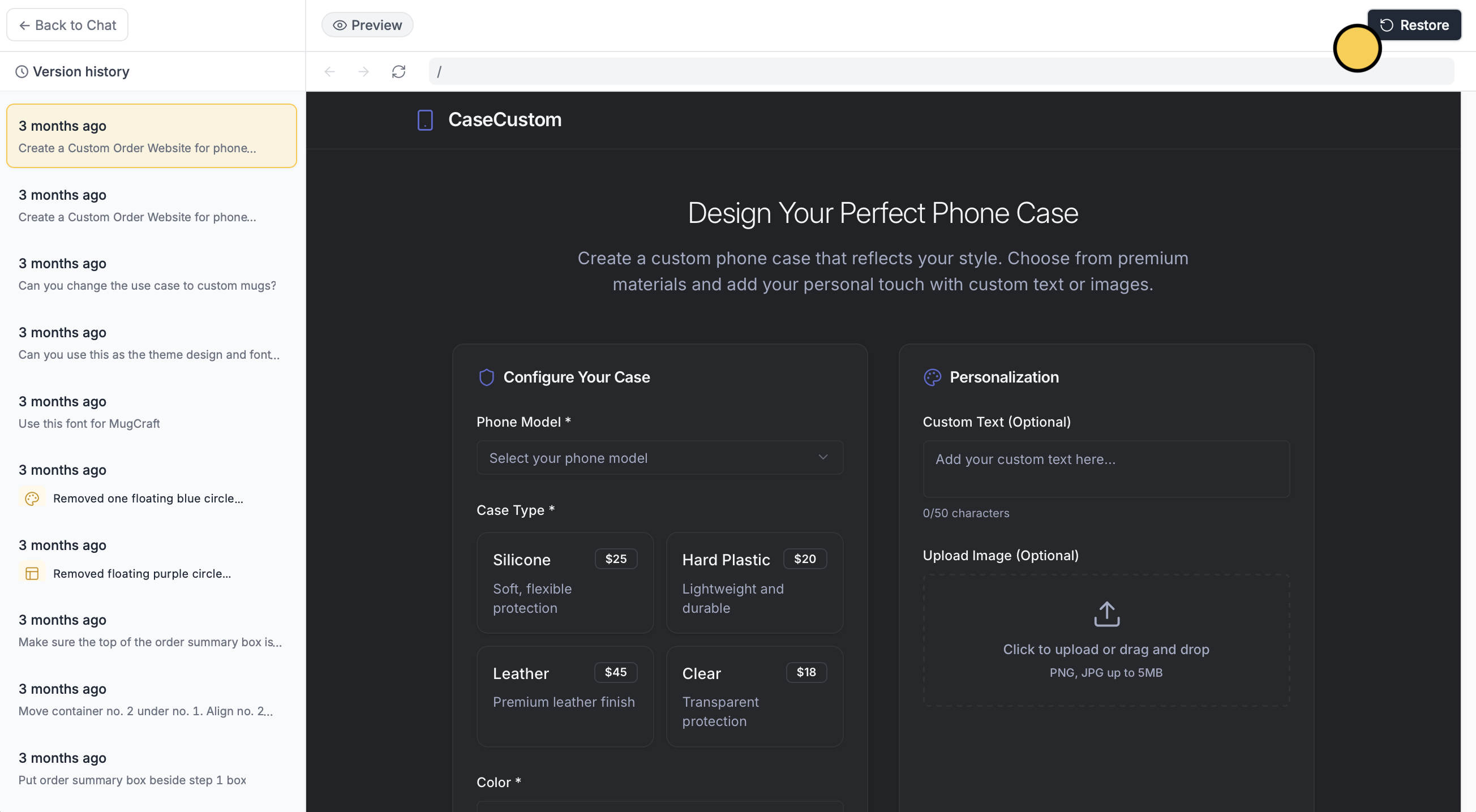
Restoring the previous version can’t be undone.
Screenshot 2025-12-16 at 3.12.11 PM.png
You can undo a single change (instead of the whole version) via chat. Learn more here.
3

Deploy and share

Click Publish in the upper right corner to share or embed your app.

Selective edits

Edit the typography, color palette, and other elements.

Designing

Make your Zite app look and feel on-brand.