

Overview
QR codes are a simple way to take someone from the physical world to the right place in your app. In Zite, they’re most commonly used to open a URL, but they can also point to contact details, maps, events, payment links, and other structured information. When someone scans a QR code, their device opens the encoded destination immediately. That makes them useful for posters, packaging, receipts, kiosks, event check-ins, and internal operations.If your Zite app requires authentication, people who scan the QR code will still need to sign in before they can access the app.
Common ways to use QR codes
- URLs — The most common use case. Link people to a live Zite app, a specific page, or any website.
- Contact info — Encode a name, phone number, and email in vCard format so scanning adds the contact to the device.
- Geographic coordinates — Open a specific location in Apple Maps, Google Maps, or another map app.
- Calendar events — Let someone scan a code and add an event directly to their calendar.
- Payment info — Send people to bank details, invoice instructions, or a Stripe payment link.
Generating QR codes
QR codes in Zite are generated for free and on demand through your app logic. They are not stored in your database. Simply tell the Agent how you’d like a QR code to work, and let Zite create the logic for you.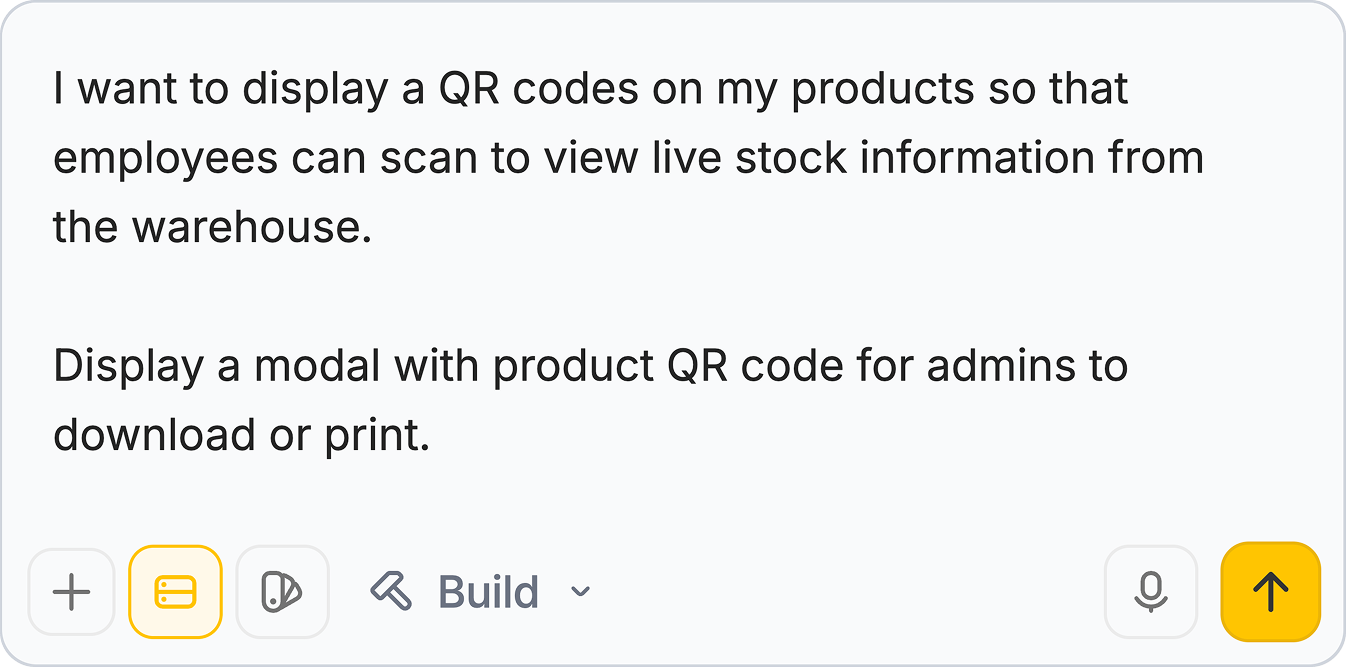
Example: inventory management
QR codes also work well for operational workflows. For example, an employee could scan a QR code attached to a shelf, bin, or product and instantly pull up the matching stock information in Zite. From there, they could check inventory levels, confirm item details, log updates, or start a reorder workflow without searching for the record manually. This kind of setup is especially useful for warehouses, retail backrooms, equipment rooms, and field teams who need fast access to the right record while moving around.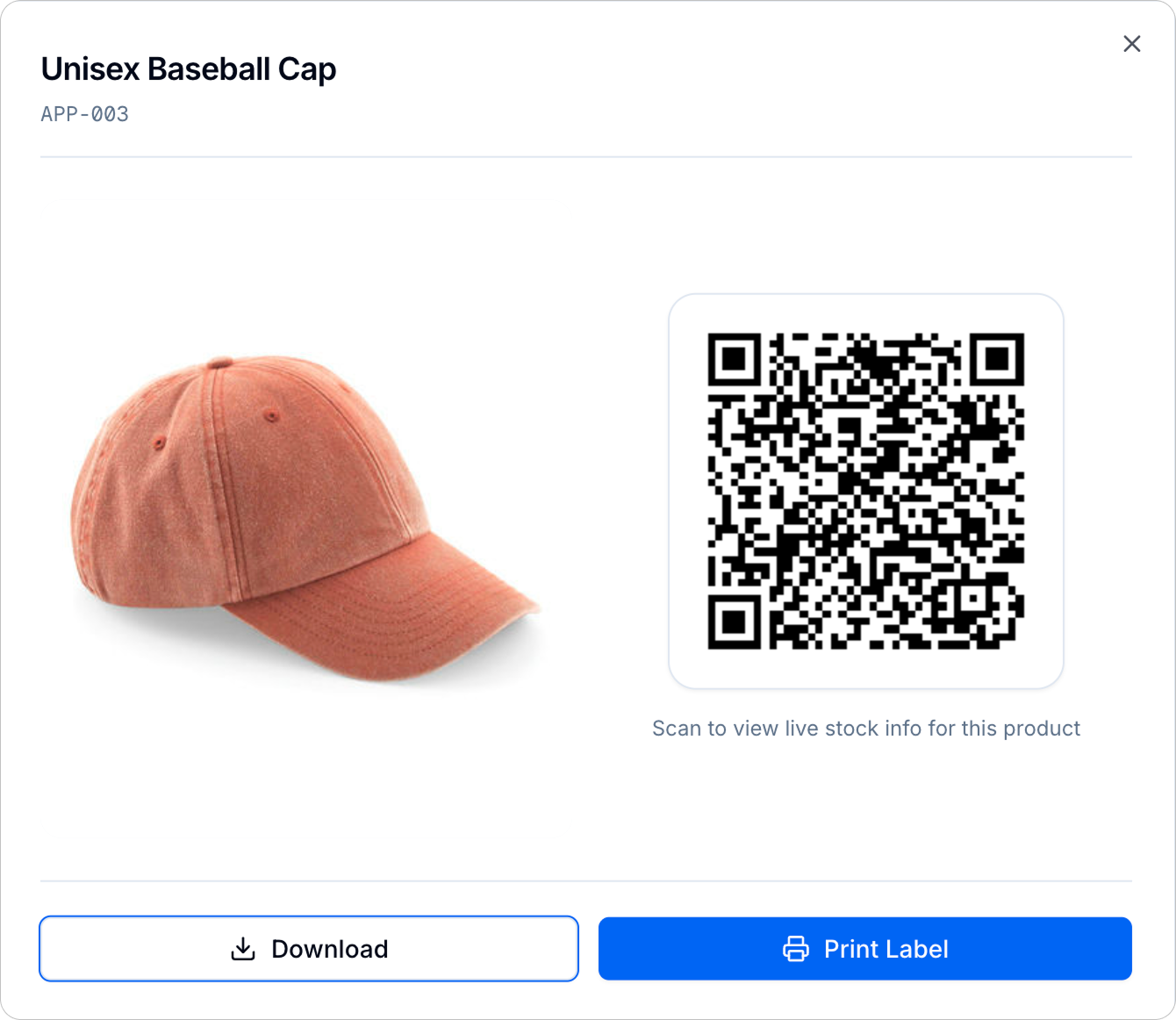
Related articles
Share to Web
Make your Zite app publicly accessible before sharing it more widely.
Customize Links
Personalize your app link and domain before turning it into a QR code.
Authentication
Require sign-in for apps that are shared through a QR code.