

What is Custom CSS?
CSS is the language used to style HTML content. By writing CSS code for your form, you can define the colors, fonts, and other visual properties of your form elements. Most parts of your form’s appearance can be modified without code using themes. But if you need a more custom look, you can use custom CSS to make a fully custom look & feel.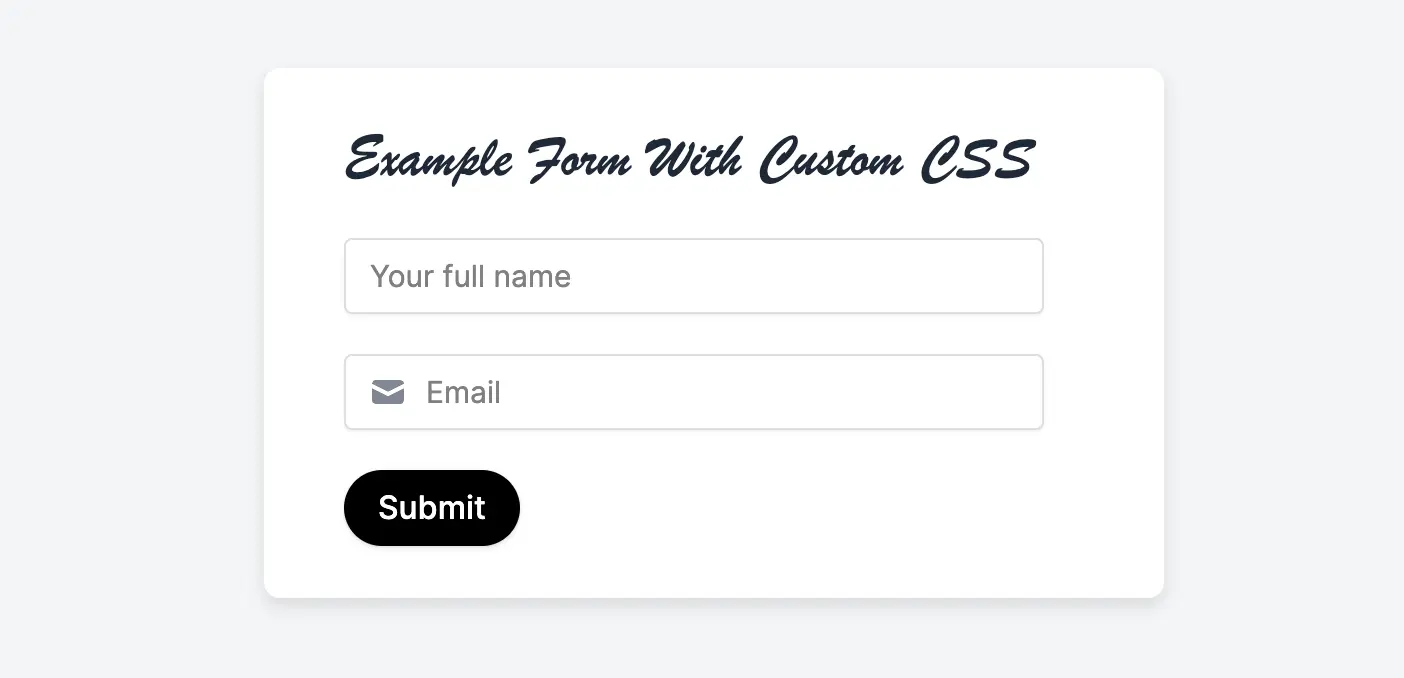
Custom CSS is available starting on the Pro plan. For more details on pricing, click here.
How to add a custom CSS
ClickTheme in the upper left side of your form and scroll down to Advanced designer in the left-hand panel. Then, Add CSS.
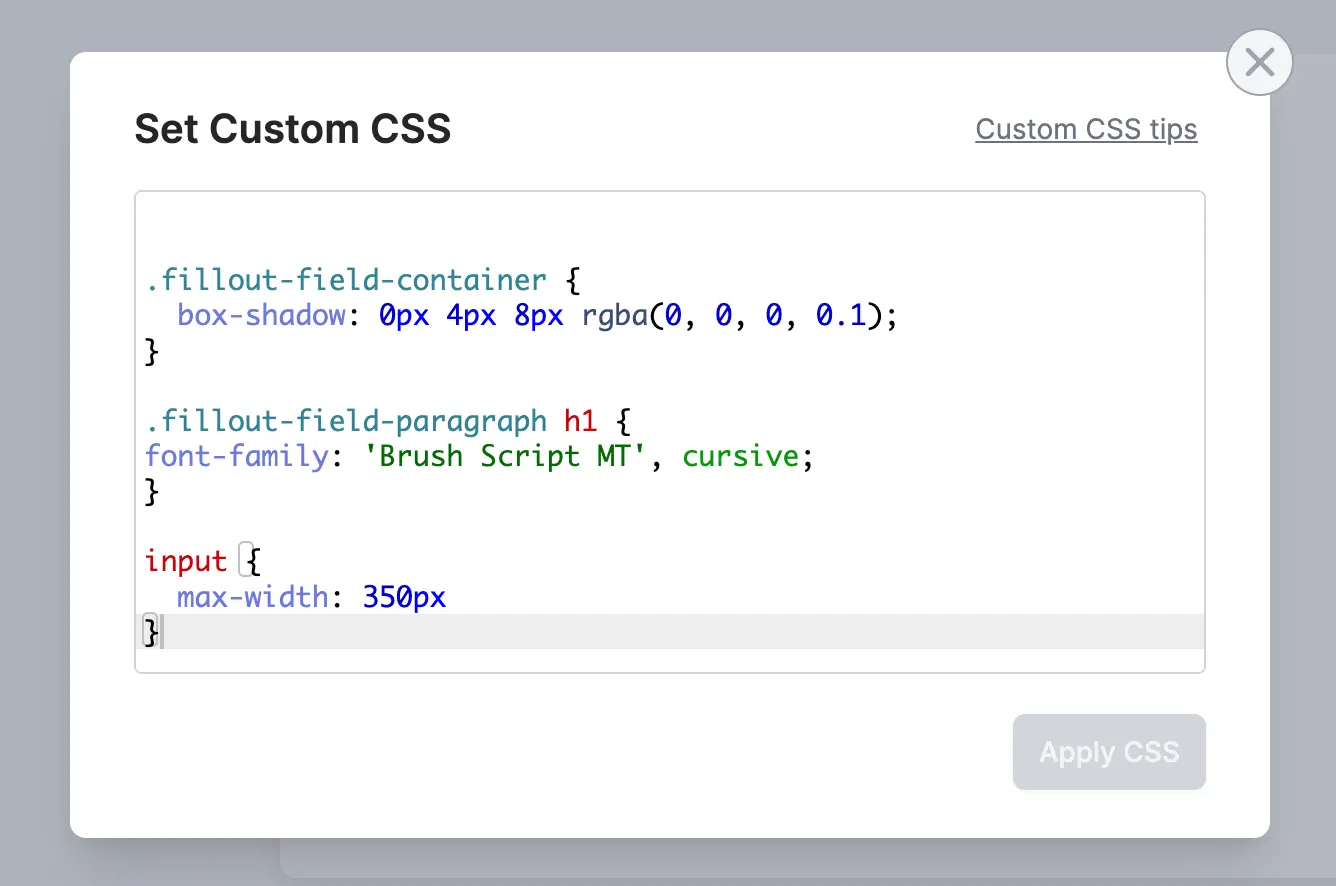
Apply CSS, you’ll see the CSS applied to your form. Go to Preview mode to confirm your form looks as you expect it to.
CSS classes you can use
These classes make it easier to target elements in your form. In general, these are the class names you should rely on (as opposed to other internal class names which may be subject to change).Can’t find the class you need? Let us know at support@fillout.com and we’ll add it!
CSS variables you can use
You can use the following CSS variables (CSS custom properties) to customize specific styles of your form. All CSS variables should be set on the top level of your custom CSS i.e. outside any CSS class block.Adding multiple fonts with Custom CSS
You can also use custom CSS to have different text in your form use different fonts. For example:Custom code guide
If you want to add custom code to your form, like a JavaScript snippet or HTML div, there are two options:HTML and CSS
Display testimonials, banners, or any static object.
Custom code
Add custom code to inject analytics tracking scripts.