

Overview
Multi-column forms save space and can make your form look more organized. Instead of having all your questions listed in a long, single column, you can split them up into multiple columns. This is especially useful if you have a lot of questions or a limited amount of space on your form.How to add another column
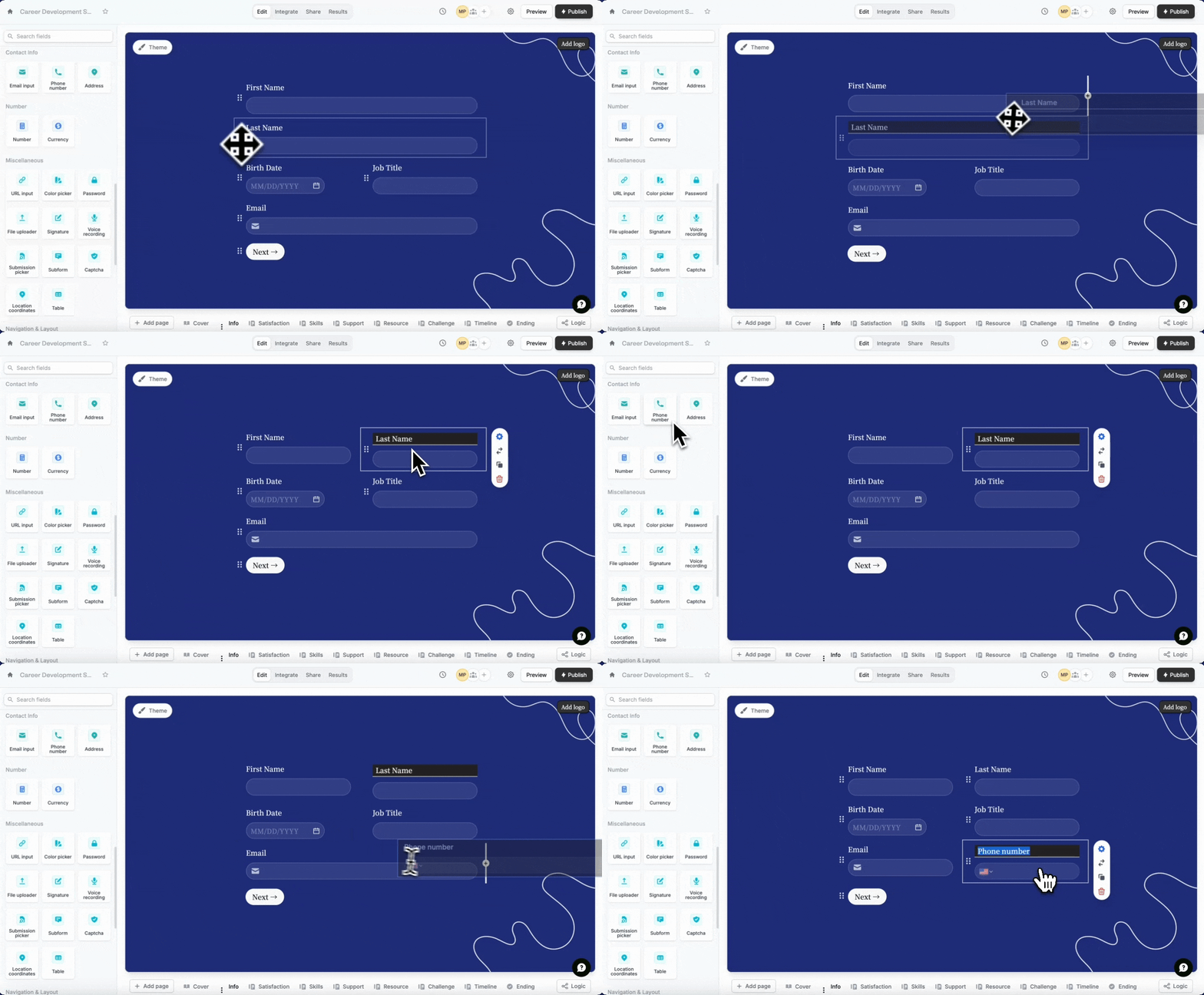
Drag a question to the right of another question. You can also reorder them with drag and drop.
Some question types can’t be placed side by side, such as Address, PDF viewer, Section collapse, Video, Button, Date time picker, Picture choice, Choice matrix, Table, Calendly, Cal.com and Payment.
Half width option in the right panel to shorten the input box. Click the field’s settings icon .

Add three columns or more
You can choose theTable field in the left-hand panel to add a third, fourth, and additional columns. More info here.
Related articles
Page layout
Edit the position of your form’s fields and background image.
Add a table
Let respondents enter data in a spreadsheet-like format.
Add headings
Improve your form’s structure and user experience.