

How to request for location coordinates
Look for theLocation coordinates button on the left-hand panel of your form.
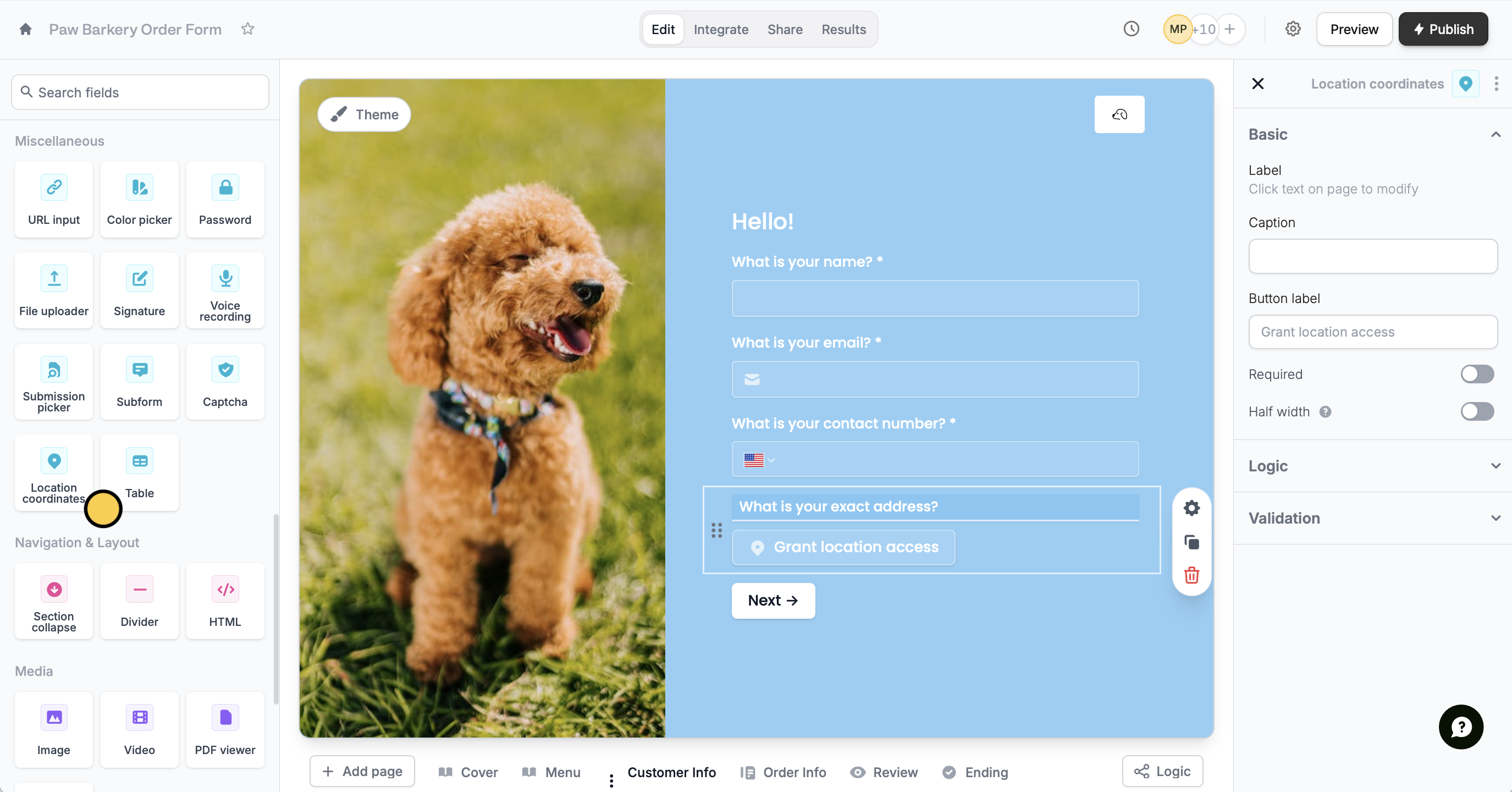
The Location coordinates field is available on the Fillout Starter, Pro and Business plans, and on Team and Enterprise. Zite Free, Pro and Business plans don’t include it for forms. See Fillout pricing.
settings icon .
Respondents can now add their location coordinates by tapping the button.
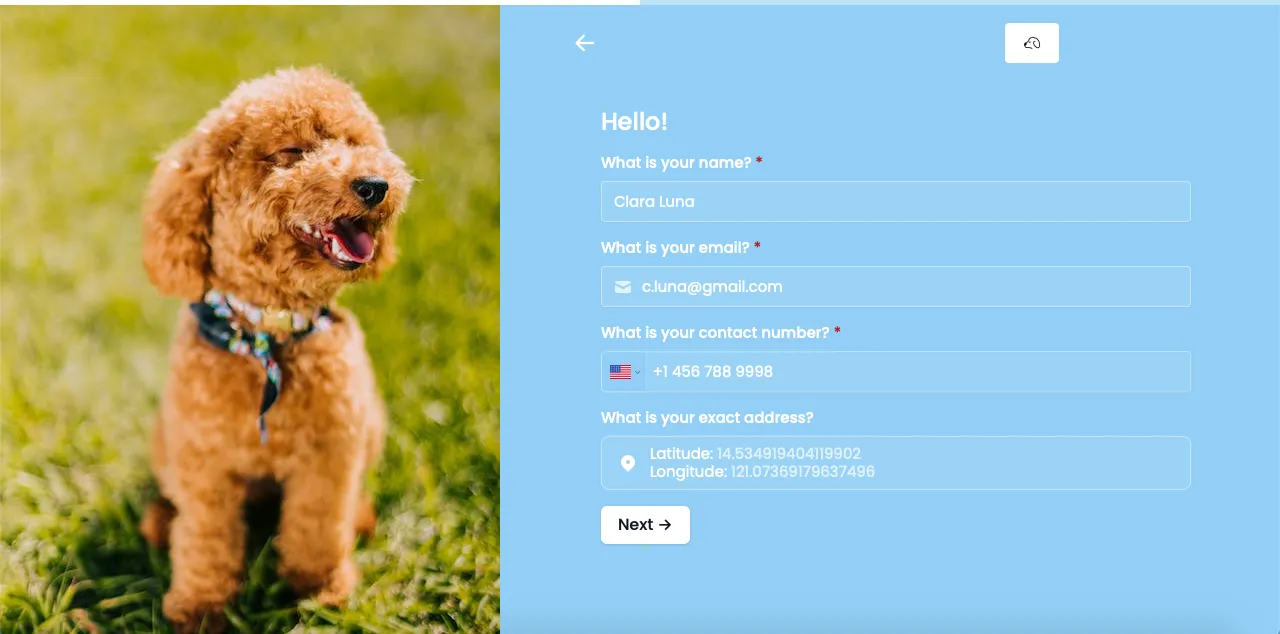
Respondents must enable location services on their browser and device in order to input their geographical location.
Common reasons to collect location coordinates
Record the exact address of a respondent Determine the approximate location of a buyer or business with latitude and longitude coordinates to improve your delivery or pickup service. Collecting a precise location reduces delays in shipment and increases customer satisfaction. Pinpoint the approximate location of an accident, crime, or other incident Provide a more thorough report to hospitals and investigators to help identify possible suspects and causes, and prevent similar incidents from occurring again. This can also be helpful in filing for insurance claims.Often used with the location coordinate field
Add a banner
Highlight disclaimers, warnings, and benefits, or flag invalid input.
Respondent emails
Notify and email respondents a copy of their editable answers.
Add e-signatures
Collect e-signatures on petition forms, registrations, and more.